
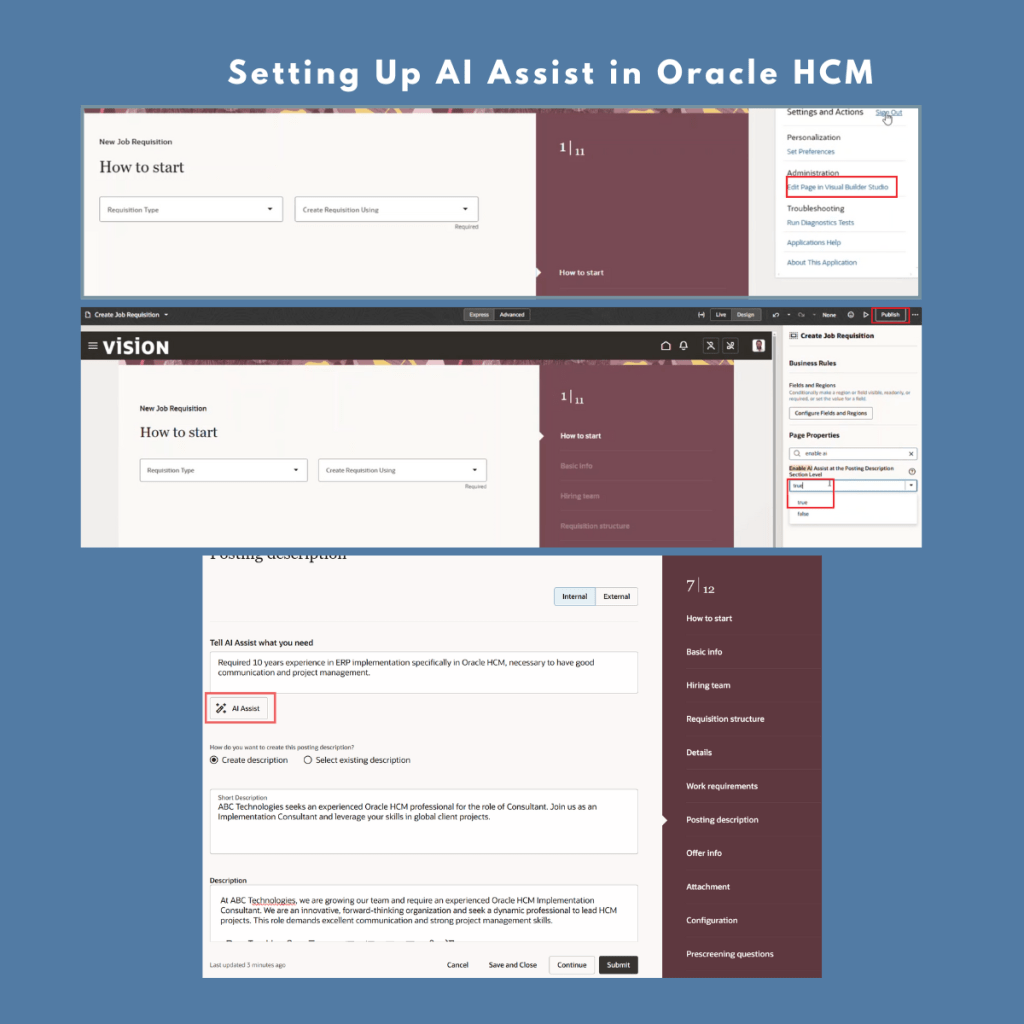
Following my previous post on Oracle AI Agent Studio, I wanted to dive deeper into how you can set up AI Assist (Author Agents) for creating job descriptions, performance feedback, and more – quickly and easily!
In this post, I’ll explain how to set up AI Assist for the Job Posting Description. The same approach can be applied to other Redwood pages where AI Assist is available.
🔹 Step 1: Enable the Prerequisites
Before using AI Assist, ensure the following profile options are set to Y:
ORA_IRC_RECRUITING_REDWOOD_ENABLED = Y
ORA_IRC_REQUISITION_REDWOOD_ENABLED = Y
ORA_IRC_CREATE_REQUISITION_OFFER_REDWOOD_ENABLED = Y
🔹 Step 2: Go to the Job Requisition Page
Navigate to My Client Groups > Hiring > Job Requisitions > Create.
On the New Job Requisition page, click on Settings and Actions > Edit Page in Visual Builder Studio.
🔹 Step 3: Enable AI Assist in Visual Builder Studio
Select the appropriate project for your job requisition page.
In the Page Properties, search for “Enable AI”.
Set Enable AI Assist = true for the Posting Description Section Level.
🔹 Step 4: Save and Publish
Once you have enabled AI Assist, save your changes and publish the page.
🔹 Step 5: Start Using AI Assist
Now, while creating or editing a job posting, you will see the AI Assist button enabled. Click it to instantly generate contextual, high-quality job descriptions – right inside the application.
✨ 𝗢𝘁𝗵𝗲𝗿 𝗔𝗿𝗲𝗮𝘀 𝗪𝗵𝗲𝗿𝗲 𝗬𝗼𝘂 𝗖𝗮𝗻 𝗘𝗻𝗮𝗯𝗹𝗲 𝗔𝗜 𝗔𝘀𝘀𝗶𝘀𝘁 𝗶𝗻 𝗢𝗿𝗮𝗰𝗹𝗲 𝗛𝗖𝗠:
✅ Job Postings: Auto-generate job descriptions, refine tone, and ensure consistency
✅ Document Records & Types: Automatically generate relevant document description / issue comments.
✅ Performance Reviews & Feedback: Effortlessly write reviews, feedback, and development tips
✅ Goal Creation: Instantly generate SMART goals aligned with team and organizational targets
✅ Request Feedback Writing Support: Generate actionable feedback requests in a flash
✅ SMART Team Goals: Define and align team goals quickly with contextual AI support
✅ Candidate Experience Summary: Automatically generate summaries for a personalized candidate experience
✅ Connections – About Me: Summarize personal profiles easily
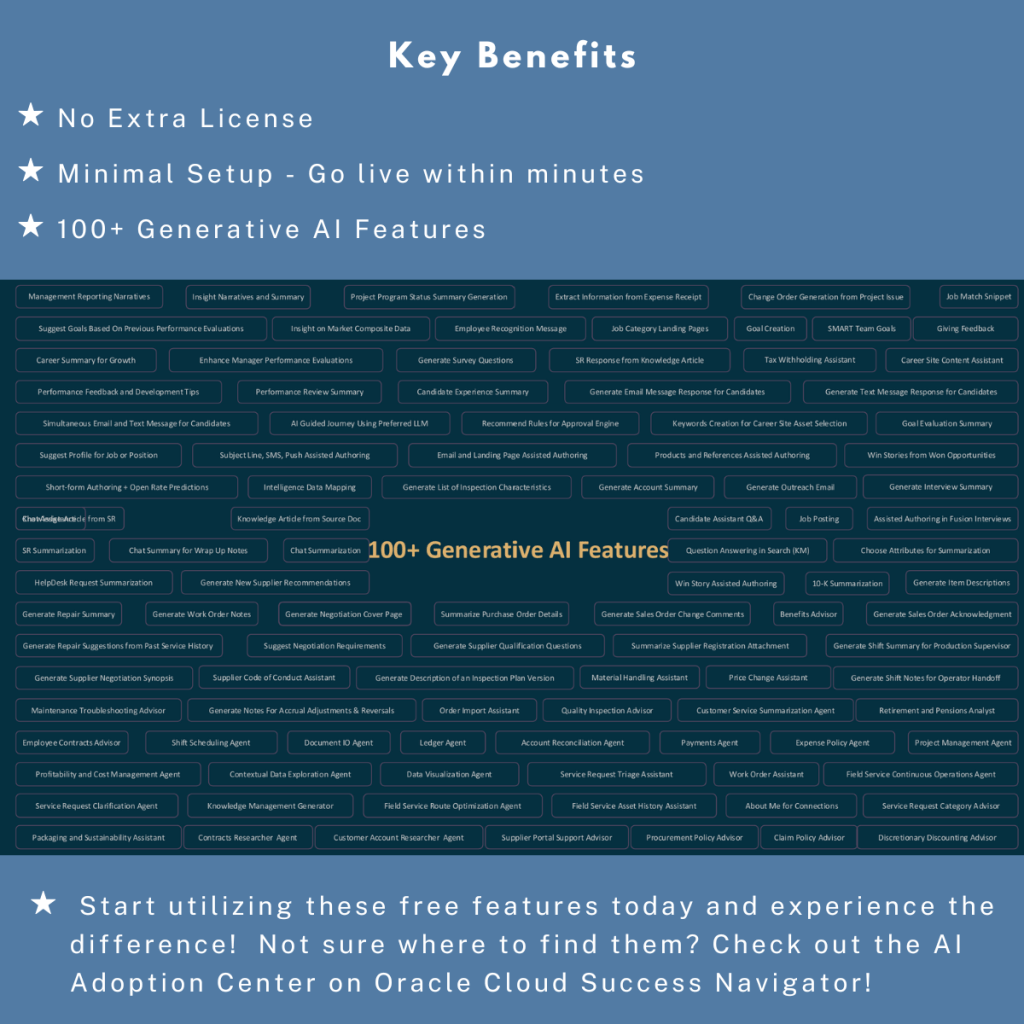
100+ Generative AI Features are already live in Oracle Fusion Applications. Check out the attached snapshot to explore what’s available.
𝗡𝗼𝘁 𝘀𝘂𝗿𝗲 𝘄𝗵𝗲𝗿𝗲 𝘁𝗼 𝘀𝘁𝗮𝗿𝘁?
No worries! You can explore all these features using the AI Adoption Center in Cloud Success Navigator.
👉 View available features
👉 See them in action
👉 Learn how to enable them – all in one place!
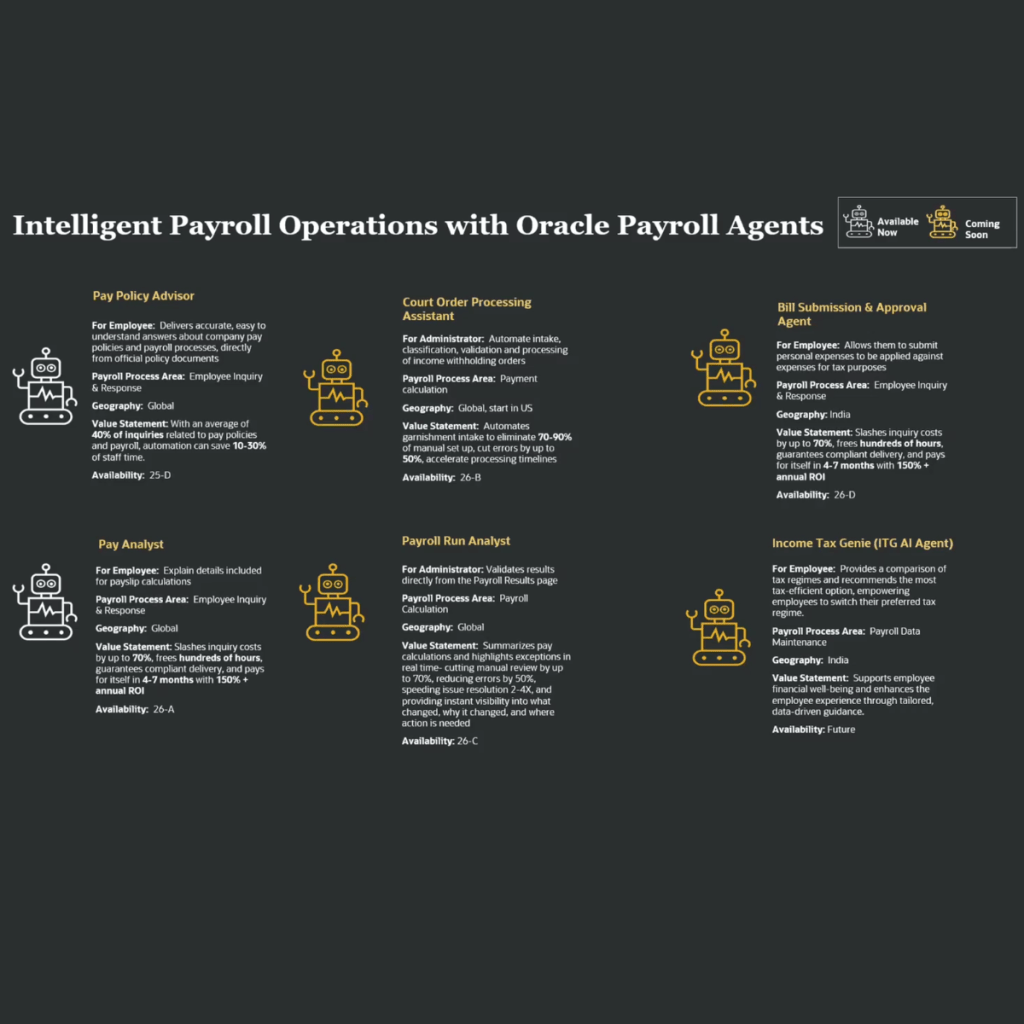
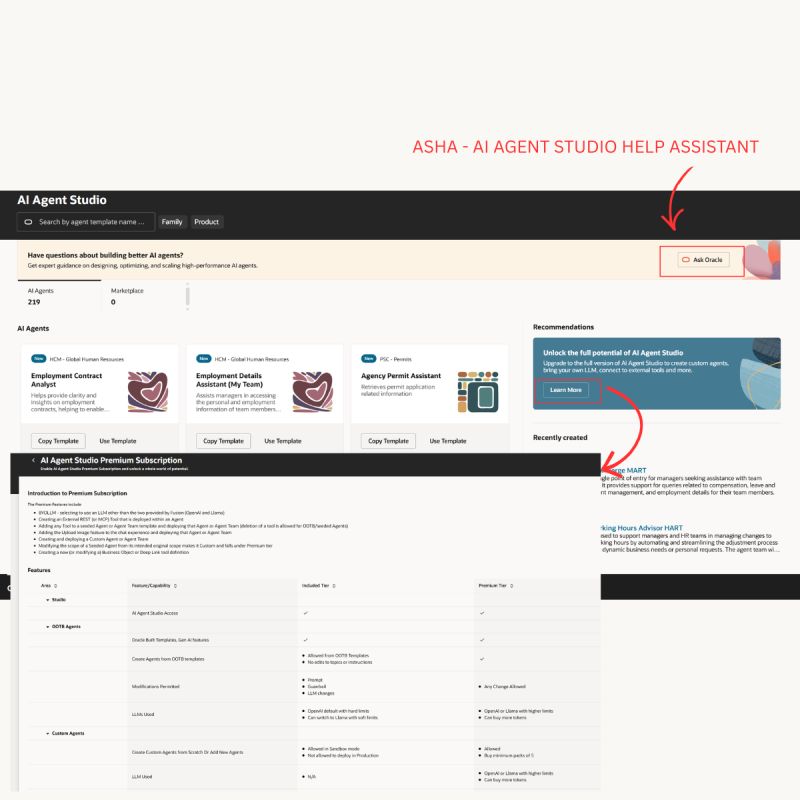
Remember 100+ Generative AI features and 50+ RAG-powered Agents are just the beginning. This number is growing rapidly – and the future is exciting!
Start using these powerful (and free!) features today and feel the difference.



 Lead with Mohana
Leave a comment