

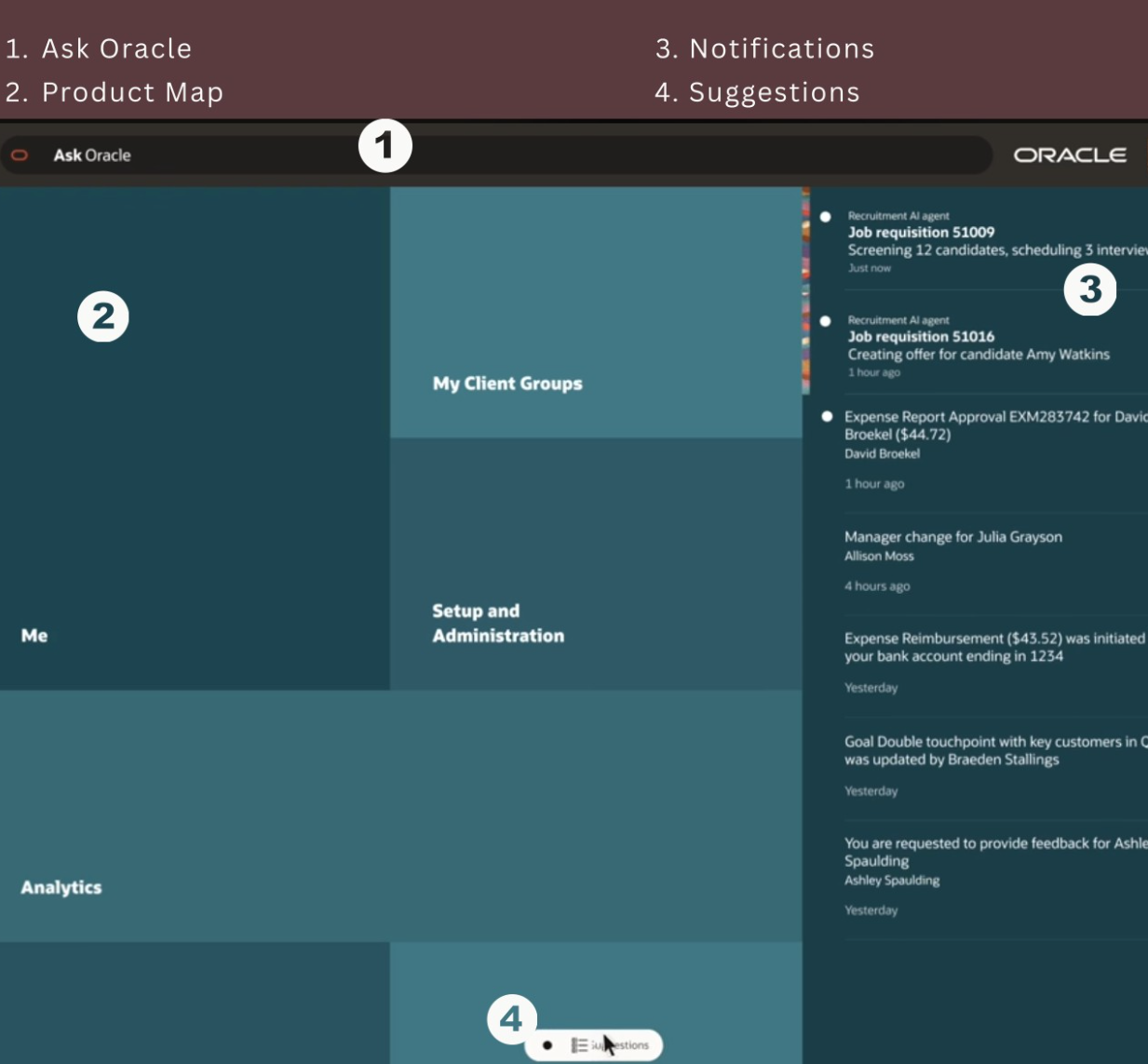
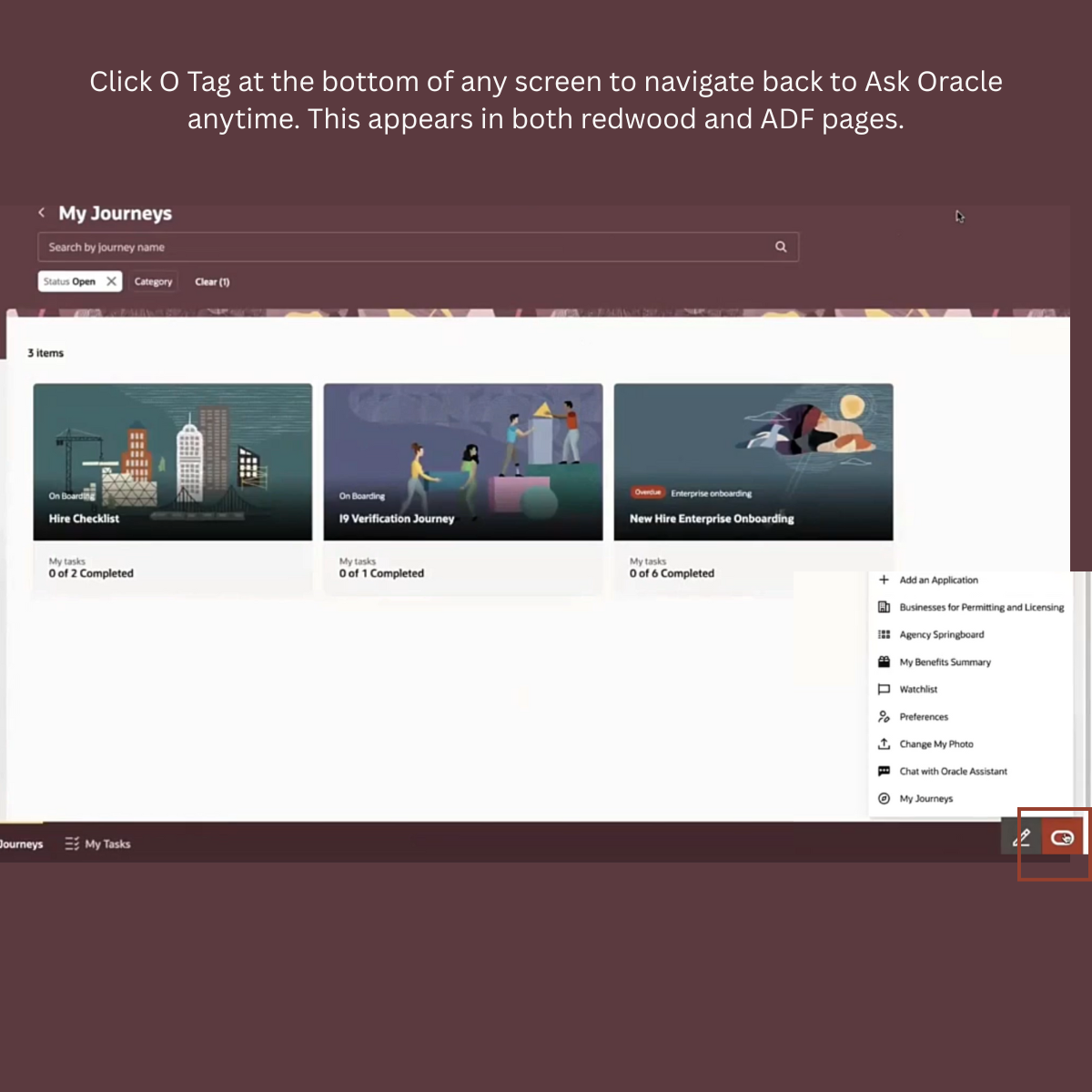
Oracle is redefining the user experience with Home featuring Ask Oracle in Release 25D, bringing the power of AI, search, and conversational visualization together – all in one place.
Here’s what’s new and powerful:
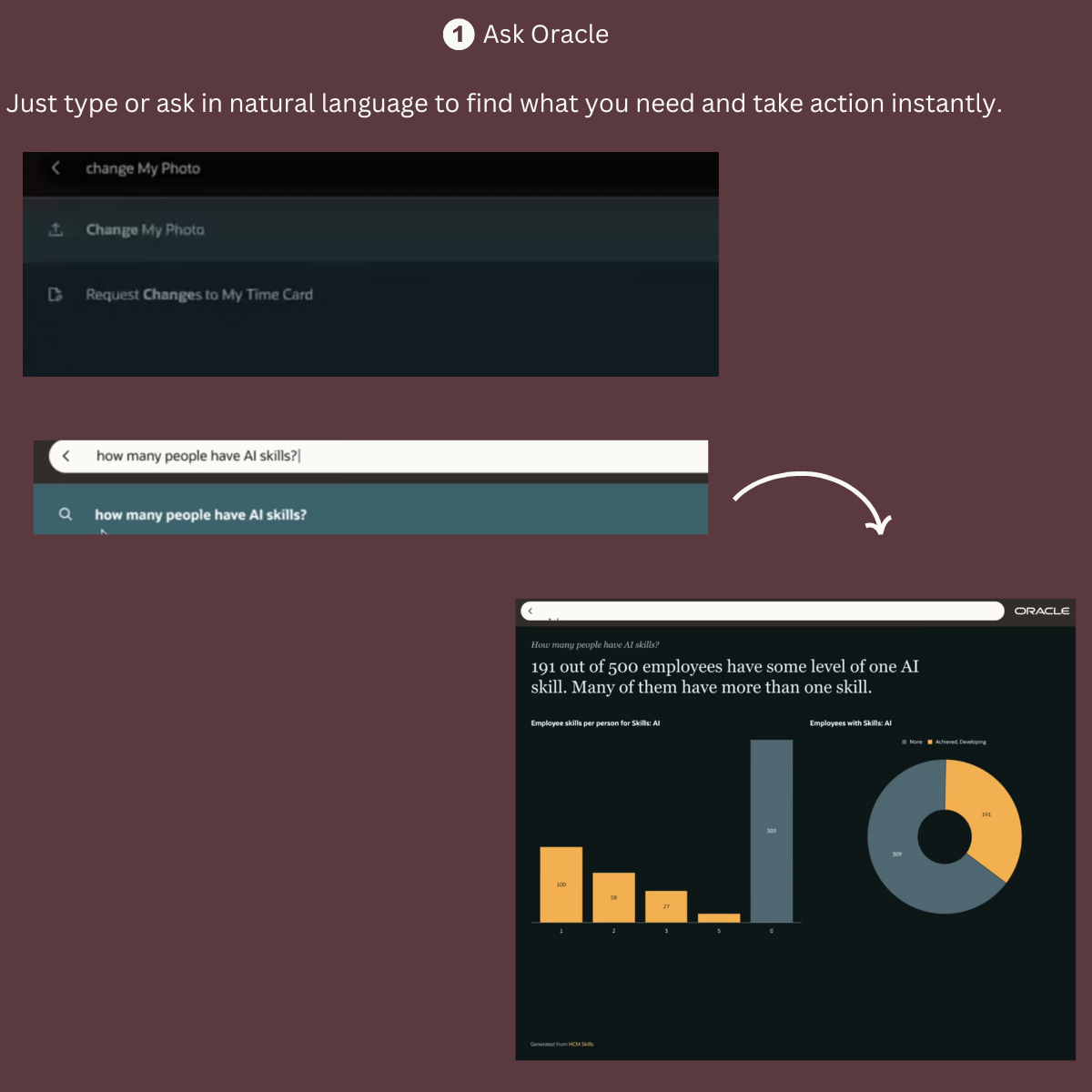
🔹𝗔𝘀𝗸 𝗢𝗿𝗮𝗰𝗹𝗲 gives you one simple place to talk to your apps. Just type or ask in natural language to find what you need and take action instantly.
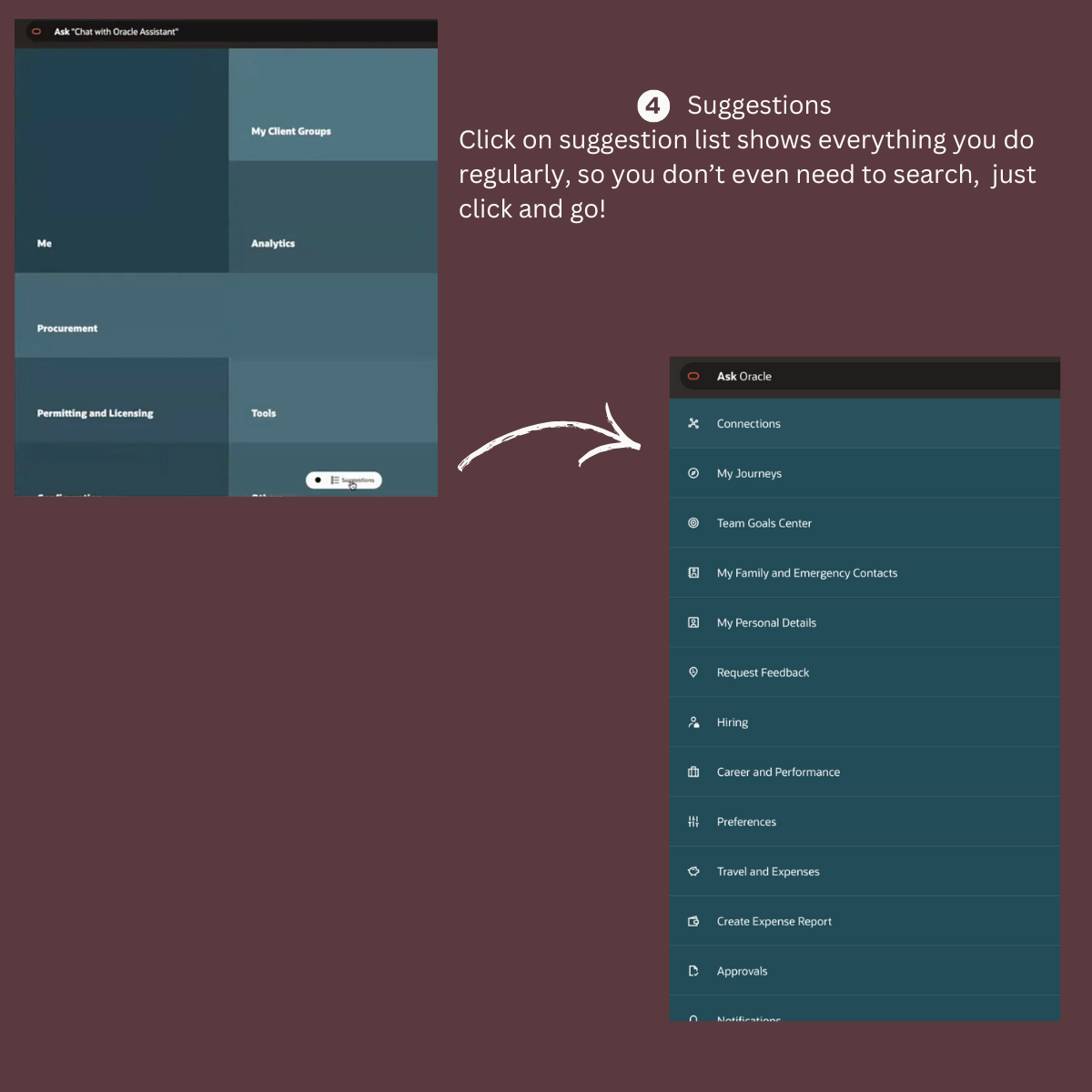
🔹 It understands your work patterns. The 𝘀𝘂𝗴𝗴𝗲𝘀𝘁𝗶𝗼𝗻 list shows everything you do regularly, so you don’t even need to search, just click and go.
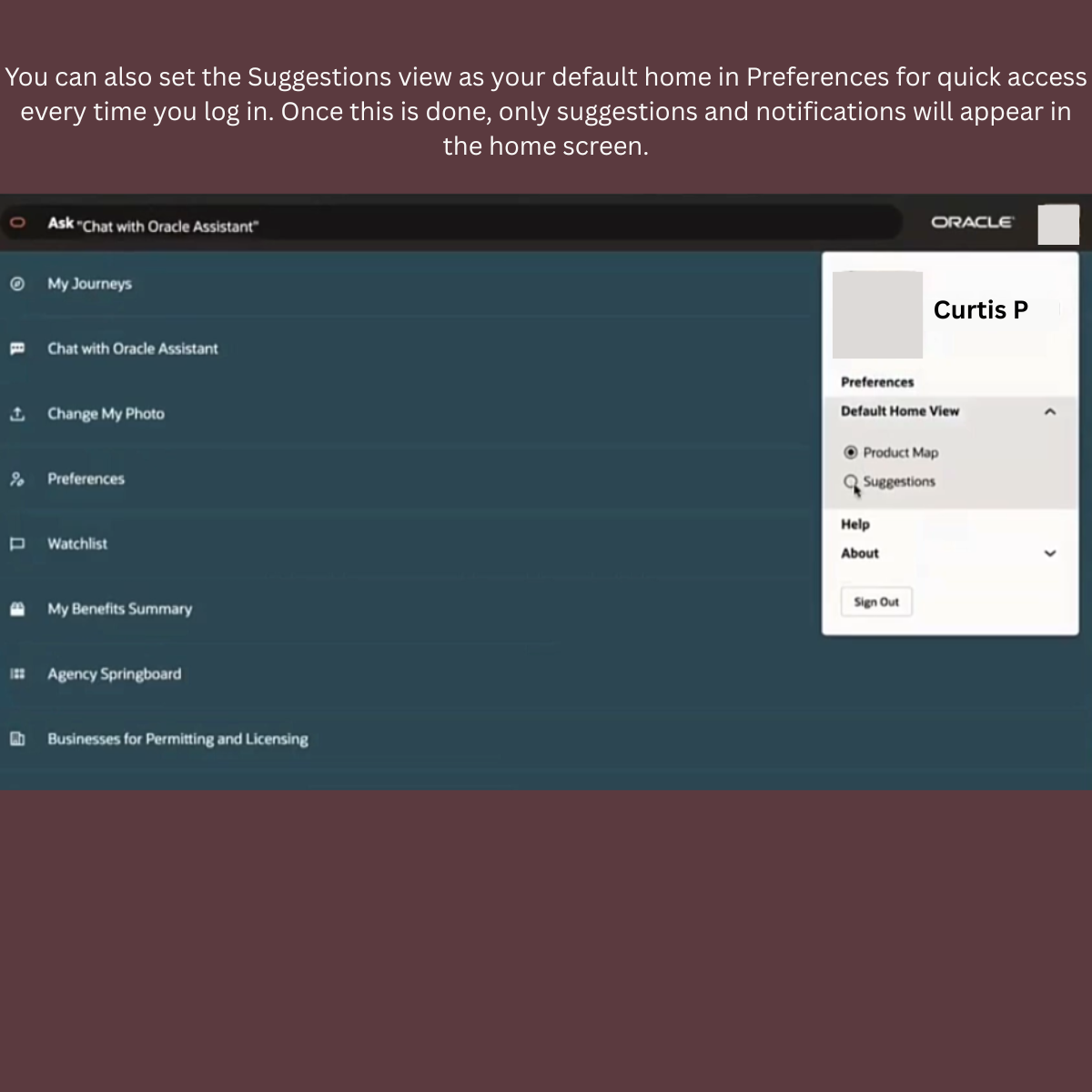
🔹 You can also set the Suggestions view as your default home in Preferences for quick access every time you log in.
🔹 Rapid Typeahead Search boosts productivity by showing smart suggestions as you type, helping you find apps and tasks even if you don’t remember the exact terms.
🔹It’s not just about numbers anymore – it’s about meaning. Home with Ask Oracle helps you ask questions, dig deeper, and uncover insights so you can make confident decisions.
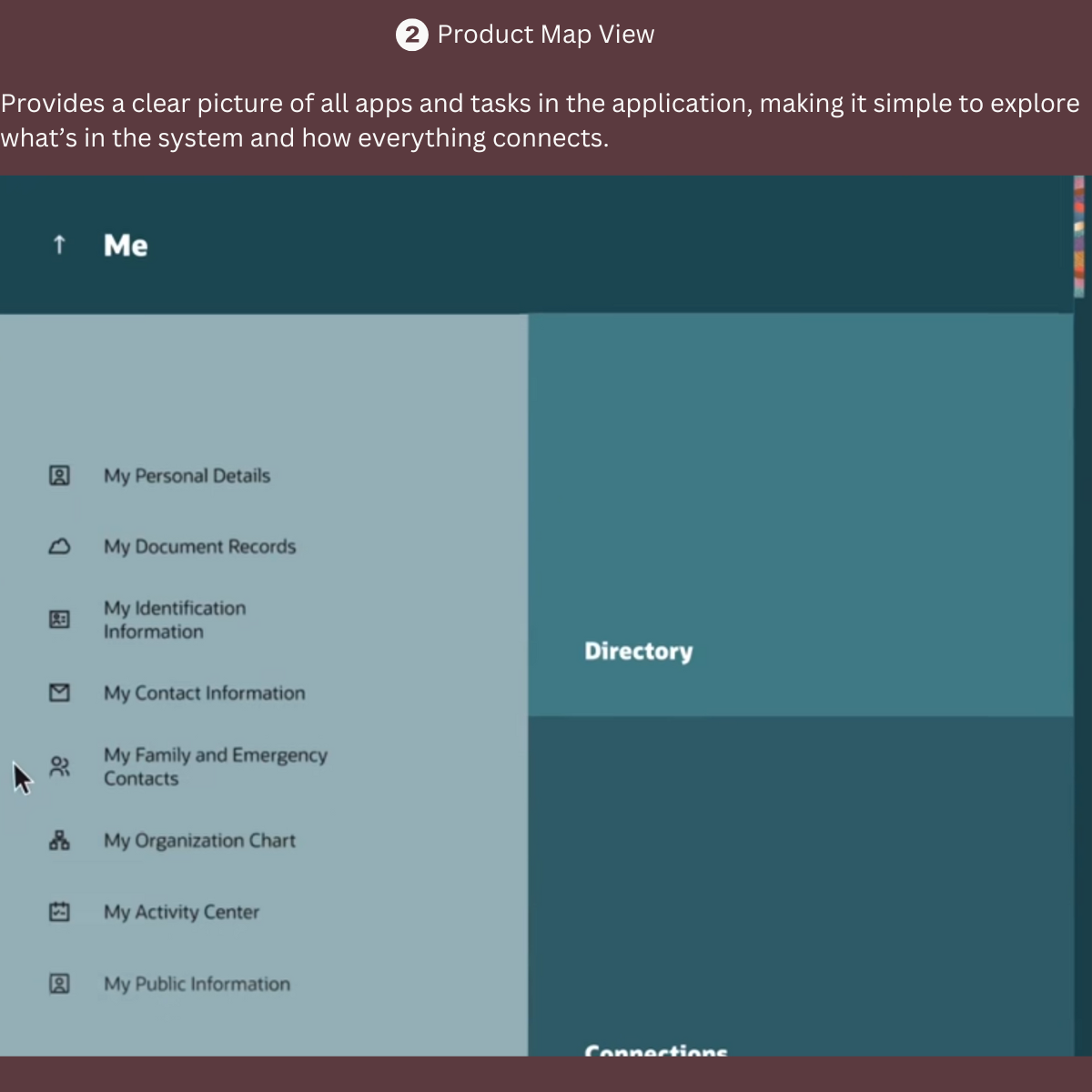
🔹For new users, the 𝗣𝗿𝗼𝗱𝘂𝗰𝘁 𝗠𝗮𝗽 View gives a clear look at all apps and tasks, helping you learn how everything connects.
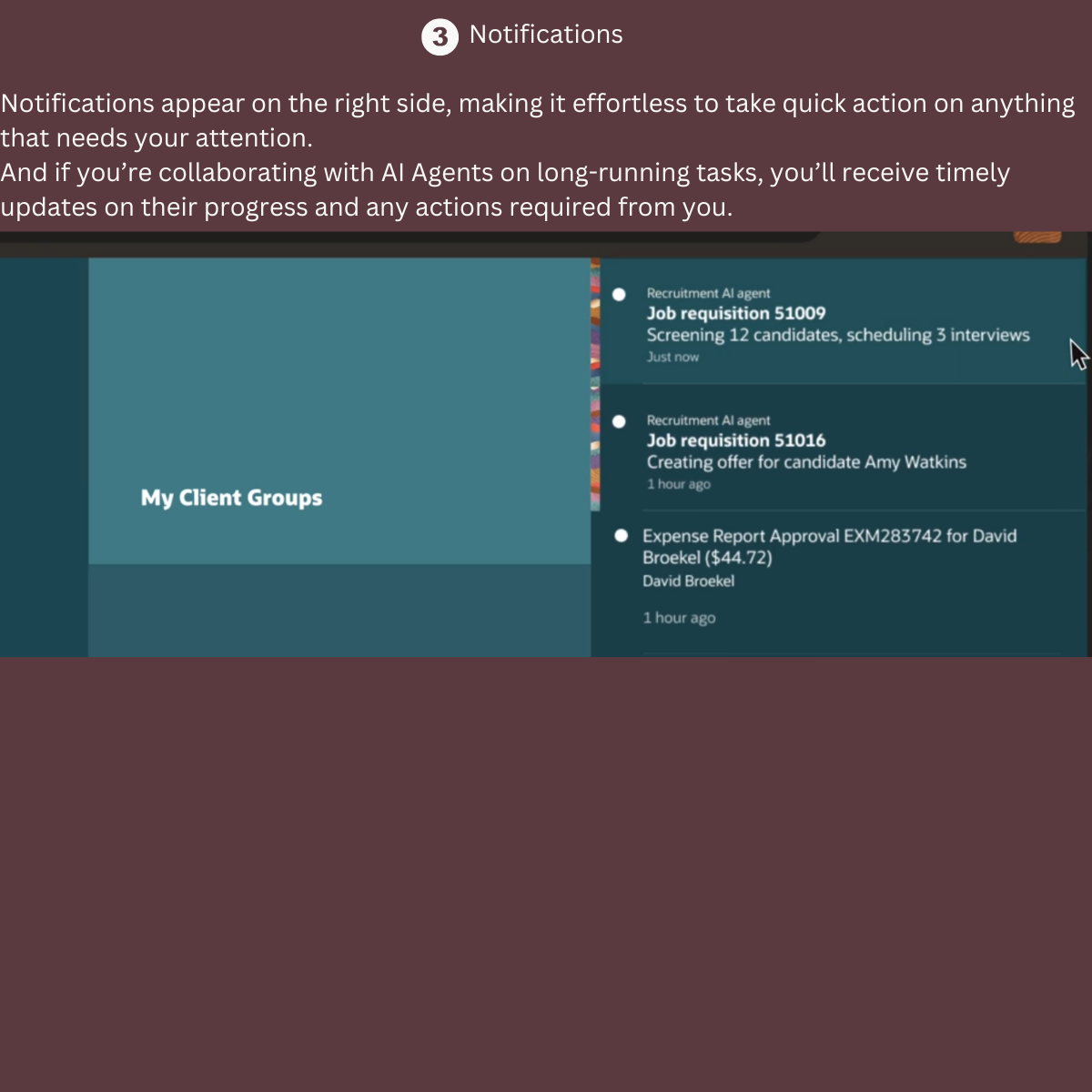
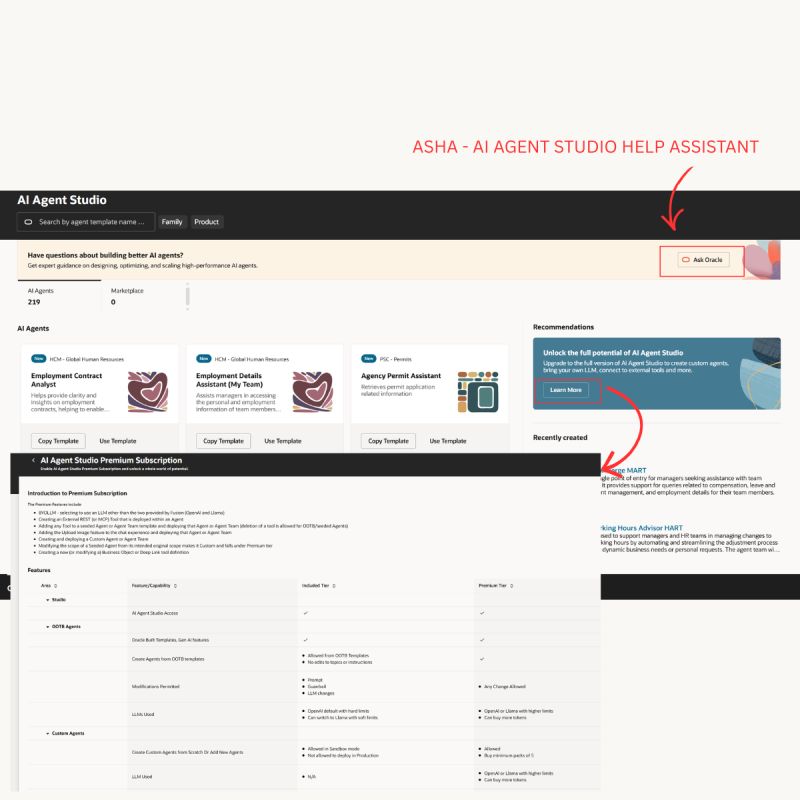
🔹𝗡𝗼𝘁𝗶𝗳𝗶𝗰𝗮𝘁𝗶𝗼𝗻𝘀 now appear on the right, making it easy to act on anything that needs your attention. Working with AI Agents on long-running tasks? You’ll get updates on their progress and any actions needed from you in here at the notifications.
𝗚𝗲𝘁𝘁𝗶𝗻𝗴 𝗦𝘁𝗮𝗿𝘁𝗲𝗱:
– Home with Ask Oracle is enabled through the new Redwood Appearance app.
– Just like today, in a sandbox you can create a theme and select the home layout type as Home with Ask Oracle. Once ready, simply publish your sandbox and you’re live!
– Like the current News Feed Home, Home with Ask Oracle is a site-level setting.




 Lead with Mohana
Leave a comment