
Auditing is one of the most underrated yet powerful features in Oracle HCM Cloud.
Oracle HCM Cloud Auditing Framework helps track every important change – whether it’s a configuration tweak, data update, or sensitive information view, giving organizations a complete view of “who did what, when, and how.”
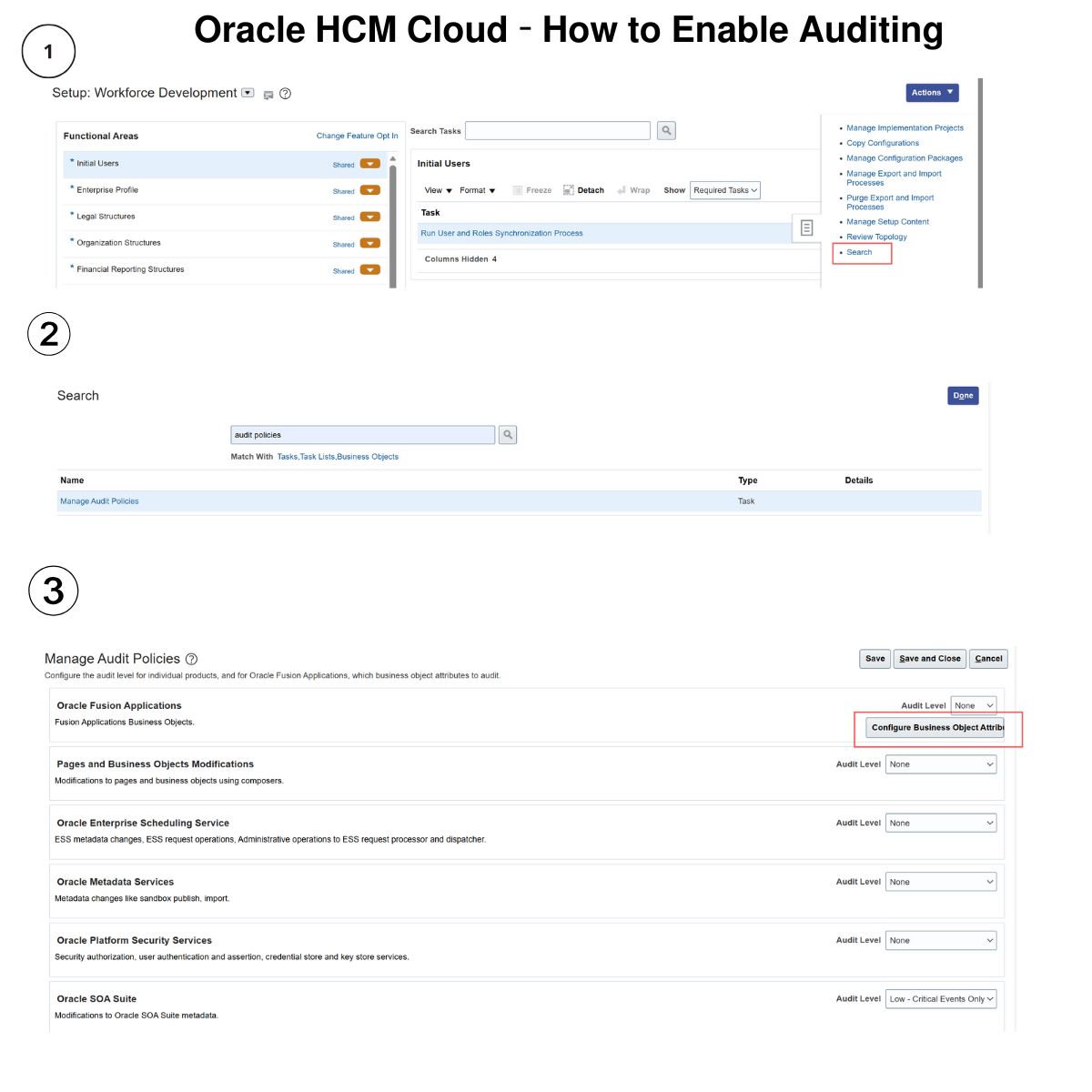
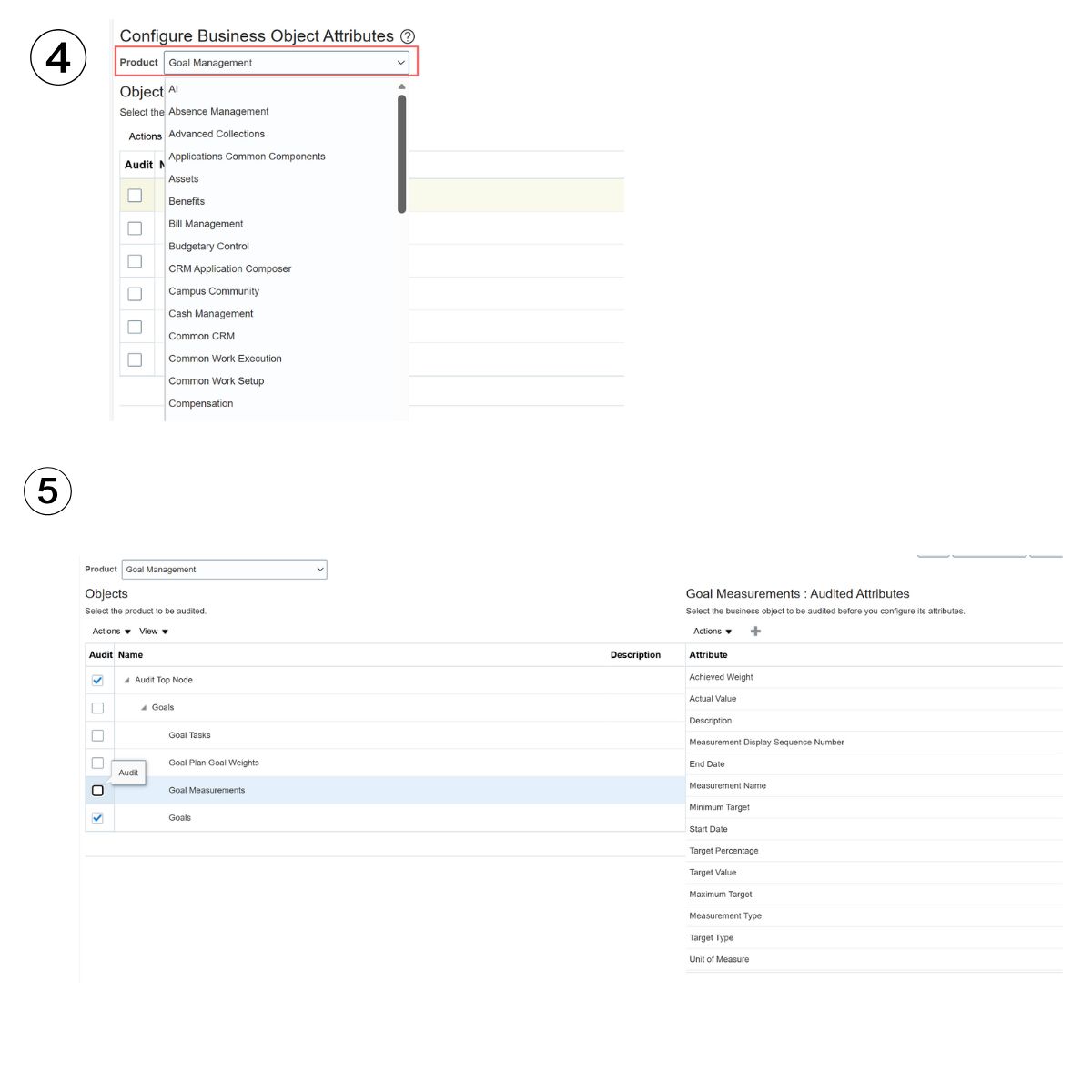
⚙️ 𝗛𝗼𝘄 𝘁𝗼 𝗘𝗻𝗮𝗯𝗹𝗲 𝗔𝘂𝗱𝗶𝘁𝗶𝗻𝗴
By default, auditing is turned off. To enable it:
1️⃣ Navigate to Setup and Maintenance → Manage Audit Policies
2️⃣ Set Audit Level to “Auditing”
3️⃣ Select the products, business objects, or specific attributes to monitor (for example, Salary, Absence, or Person objects)
💡 Best practice: Avoid enabling or modifying audit settings during go-live or high-activity periods.
𝗪𝗵𝗮𝘁 𝗬𝗼𝘂 𝗖𝗮𝗻 𝗔𝘂𝗱𝗶𝘁
Oracle allows auditing across multiple areas, including:
✅ Business object transactions (create, update, delete, correct)
✅ Configuration and setup changes
✅ Security and access logs
✅ Sensitive data views (National ID, Passport, Address, etc.)
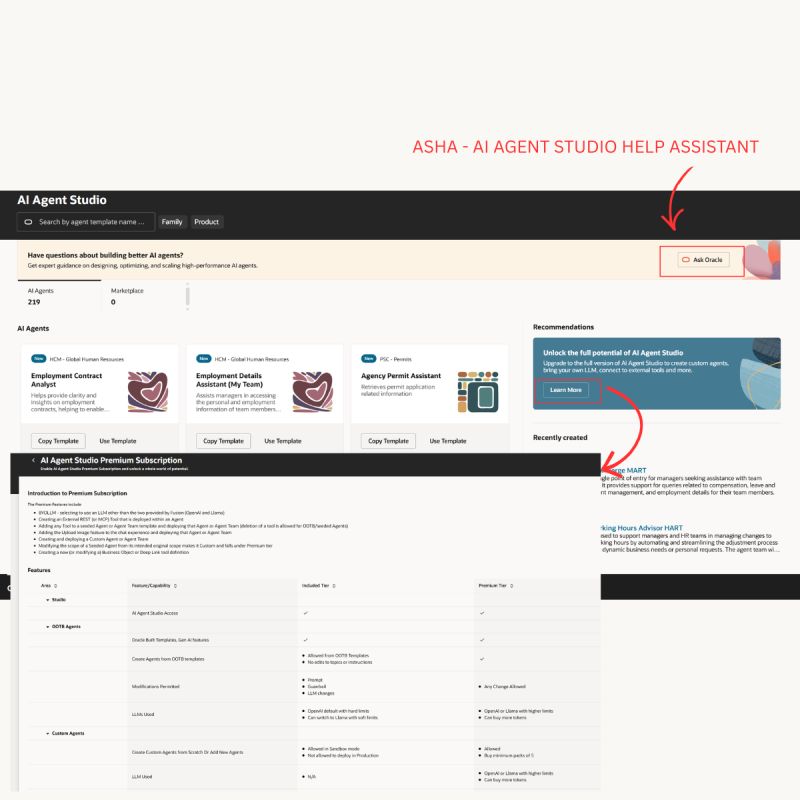
In 25D, auditing has been added for Goals Management and AI Agent Studio objects and attributes for better visibility and governance.
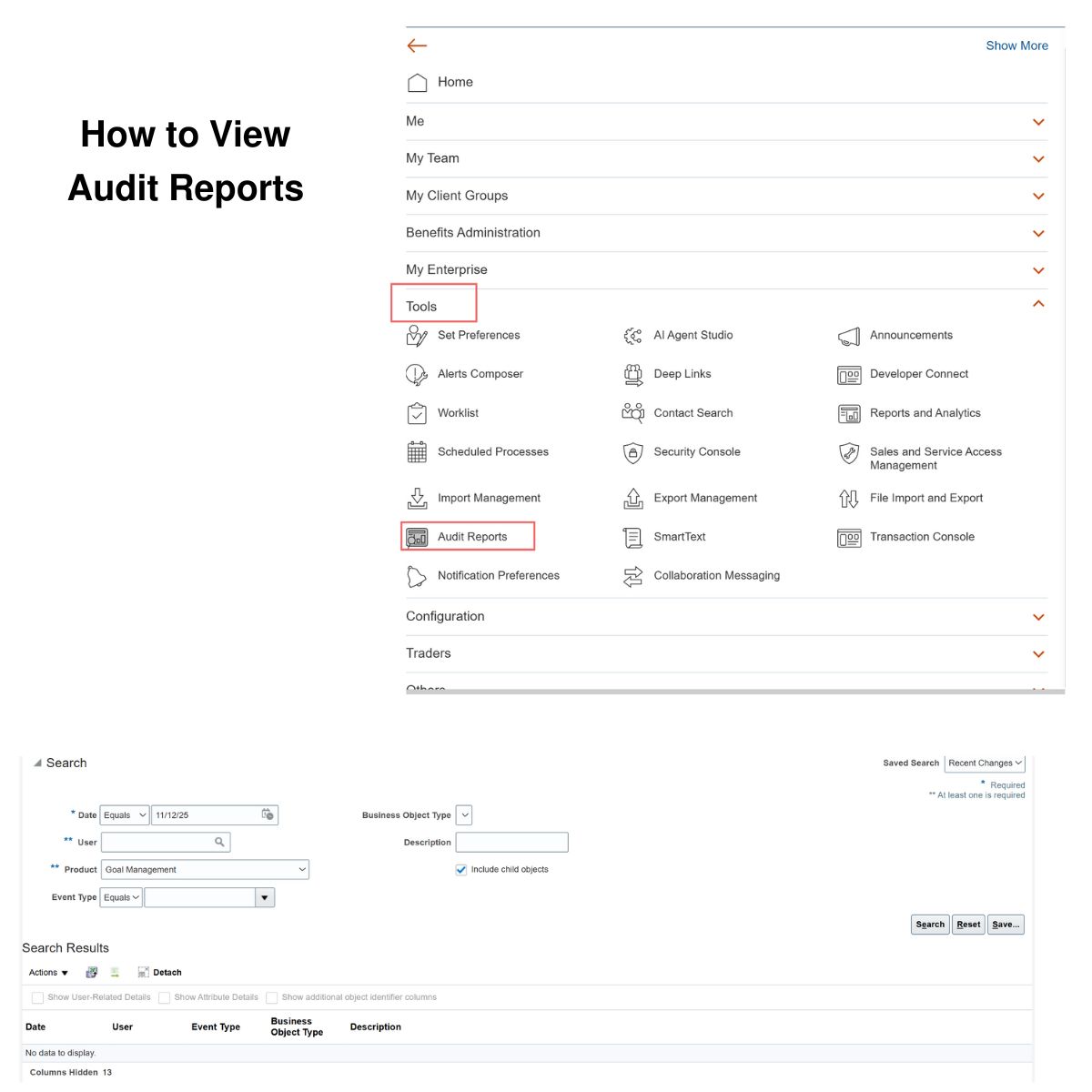
𝗛𝗼𝘄 𝘁𝗼 𝗩𝗶𝗲𝘄 𝗔𝘂𝗱𝗶𝘁 𝗥𝗲𝗽𝗼𝗿𝘁𝘀
To review audit data:
➡️ Go to Navigator → Tools → Audit Reports
➡️ Choose a date range, optionally filter by user
➡️ Select the product (e.g., Goal Management or Core HR) and event type
➡️ Click Search to view detailed changes and user actions
𝗔𝗰𝗰𝗲𝘀𝘀 𝗥𝗲𝗾𝘂𝗶𝗿𝗲𝗺𝗲𝗻𝘁𝘀
Application Implementation Consultant → Configure audit policies
Internal Auditor → View audit reports
View Audit History (FND_VIEW_AUDIT_HISTORY_PRIV) → Access detailed audit data
From employee data changes to AI workflows, every action can now be tracked, reviewed, and governed effectively.



 Lead with Mohana
Leave a comment