

I see a lot of consultants / functional users struggling with VB Studio basics – not because the tool is complex, but because some core concepts are never explained clearly.
So here’s a simple, practical explanation for anyone learning Oracle Fusion Cloud – VB Studio or trying to get more confident with it.
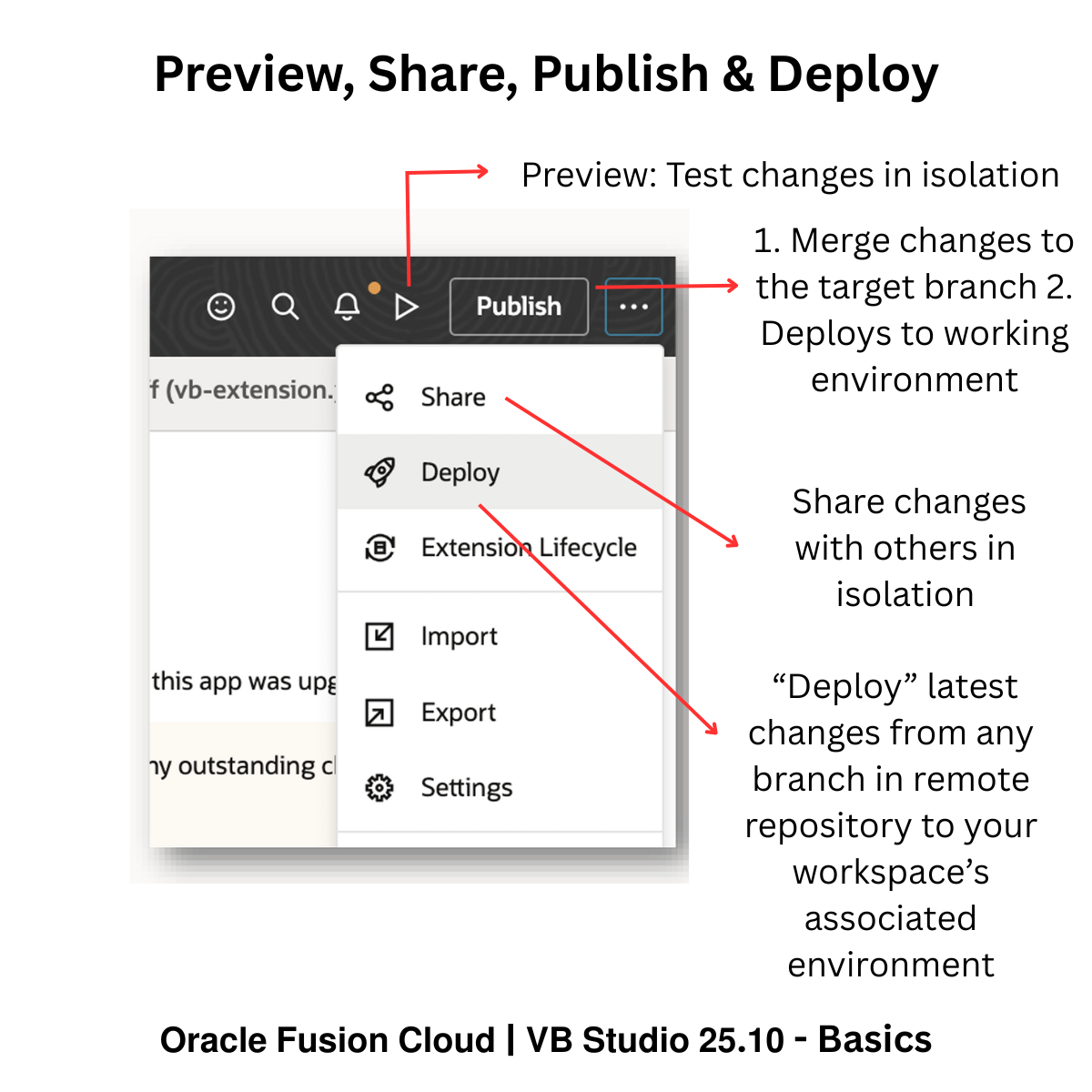
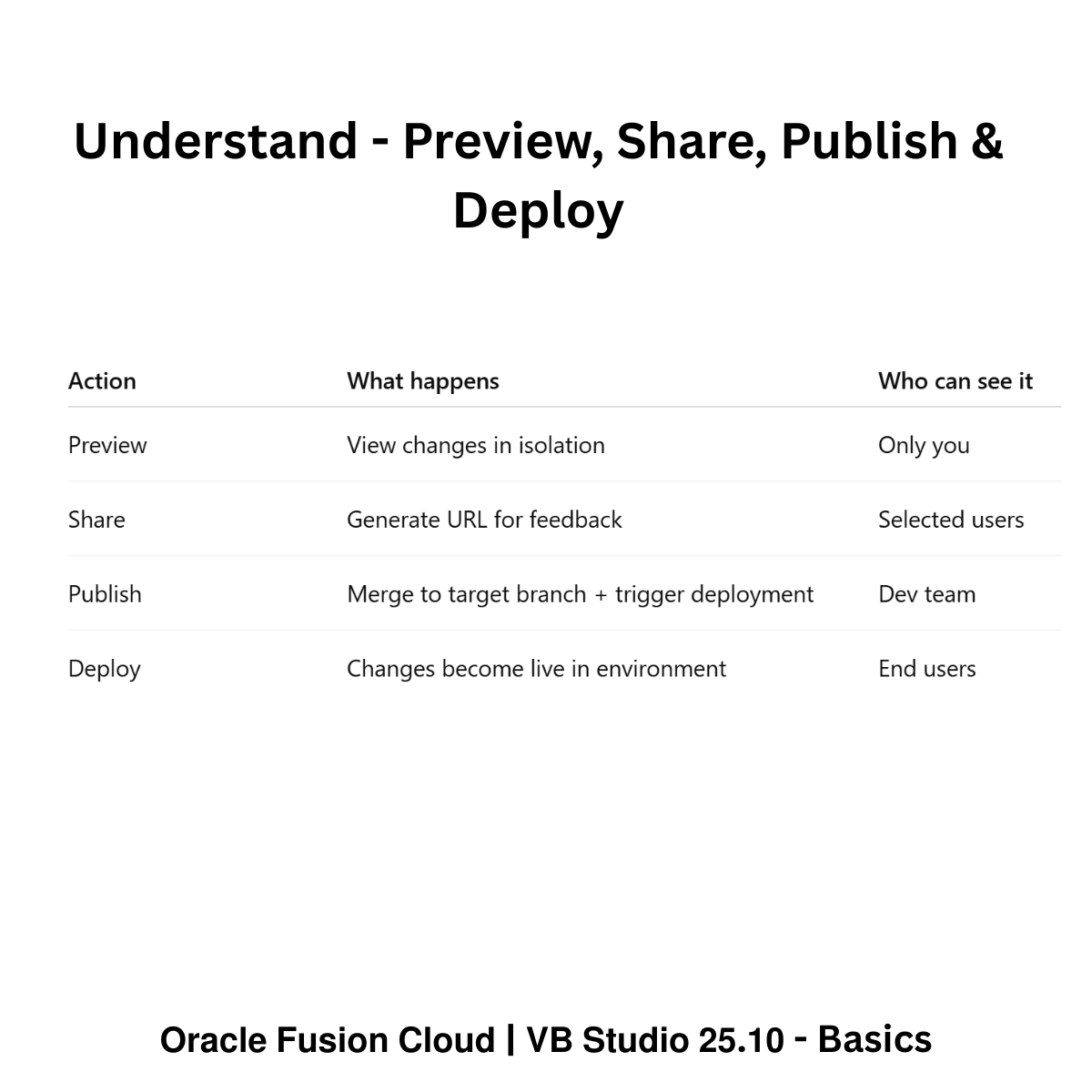
1. 𝗣𝗿𝗲𝘃𝗶𝗲𝘄 – You are building something and just want to see how it looks.
– View your changes in isolation
– No deployment
– No impact on anyone else
Think of Preview as checking your work privately before showing it to anyone.
2. 𝗦𝗵𝗮𝗿𝗲 – Your changes look good, but you want feedback.
– Share generates a URL
– Teammates or stakeholders can open it and review your changes
3. 𝗣𝘂𝗯𝗹𝗶𝘀𝗵 – Publish means your changes are ready.
– Your changes are merged into a branch in the remote repository
– Reviews and approvals can happen (if branch settings are enabled)
The system prepares for deployment
Think of Publish as saying: “My work is ready to move forward.”
4. 𝗗𝗲𝗽𝗹𝗼𝘆 -Deployment is when changes become usable.
– Approved changes are installed into the target instance
– End users can now use them
Easy way to remember: Publish = ready, Deploy = live
𝗪𝗵𝗮𝘁 𝗶𝘀 𝗮 𝗥𝗲𝗺𝗼𝘁𝗲 𝗥𝗲𝗽𝗼𝘀𝗶𝘁𝗼𝗿𝘆? Remote repository is the shared central place where everyone’s published code lives.
Your workspace → your personal working area
Remote repository → the team’s shared codebase
Others cannot see your changes until they reach the remote repository
When you publish, your changes move from your workspace → to the remote repository.
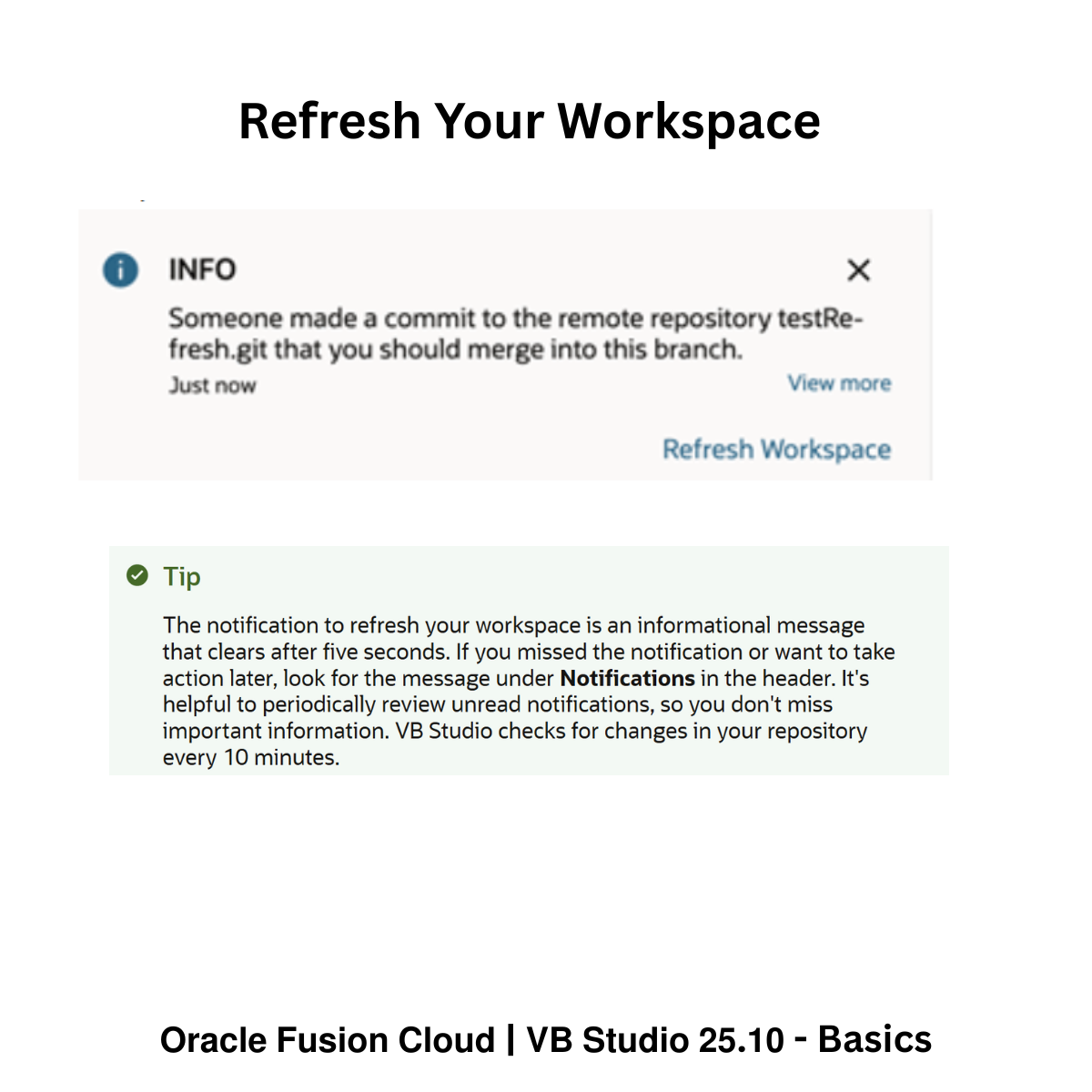
𝗡𝗲𝘄 𝗶𝗻 𝗩𝗕 𝗦𝘁𝘂𝗱𝗶𝗼 𝟮𝟱.𝟭𝟬: 𝗥𝗲𝗳𝗿𝗲𝘀𝗵 𝗪𝗼𝗿𝗸𝘀𝗽𝗮𝗰𝗲
When someone else publishes: Their changes go into the remote repository
Your workspace does not auto-update. VB Studio now:
– Notifies you when changes hit your target branch
– Lets you refresh your workspace to pull those changes in
This avoids conflicts, overwrites, and last-minute surprises.
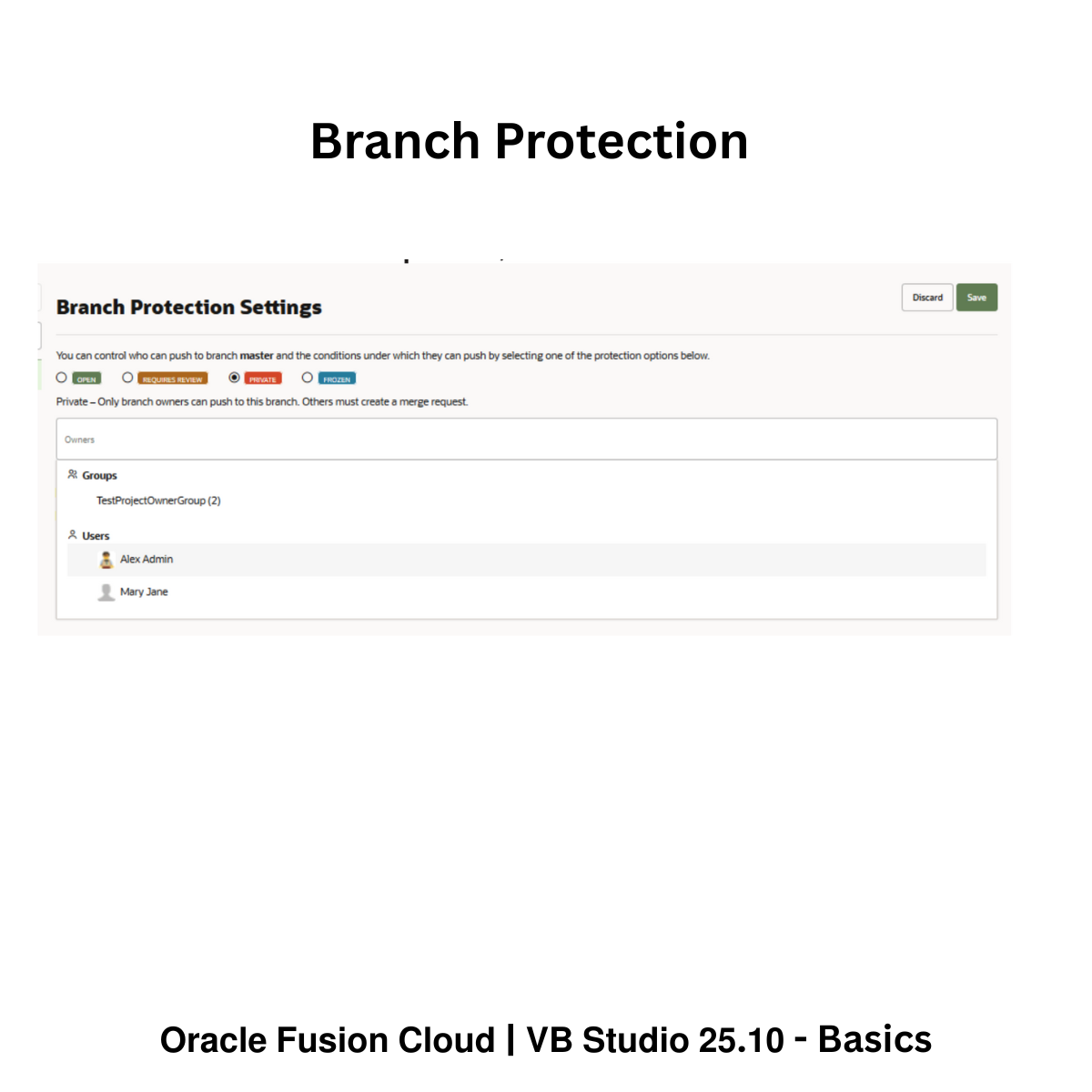
𝗕𝗿𝗮𝗻𝗰𝗵 𝗣𝗿𝗼𝘁𝗲𝗰𝘁𝗶𝗼𝗻 (quiet but powerful). Because the remote repository is shared:
– Branch protection enforces reviews and approvals
– Prevents accidental changes to important branches like main
– Keeps deployments safe and predictable
These concepts – Preview, Share, Publish, Deploy, Remote Repository, Refresh Workspace, and Branch Protection form the foundation of working confidently in VB Studio.



 Lead with Mohana
Leave a comment