

Have you ever struggled to explain Oracle Journey flow to business users?
Journey design has always been powerful…
But not always easy to see.
With Oracle HCM 26B, that changes.
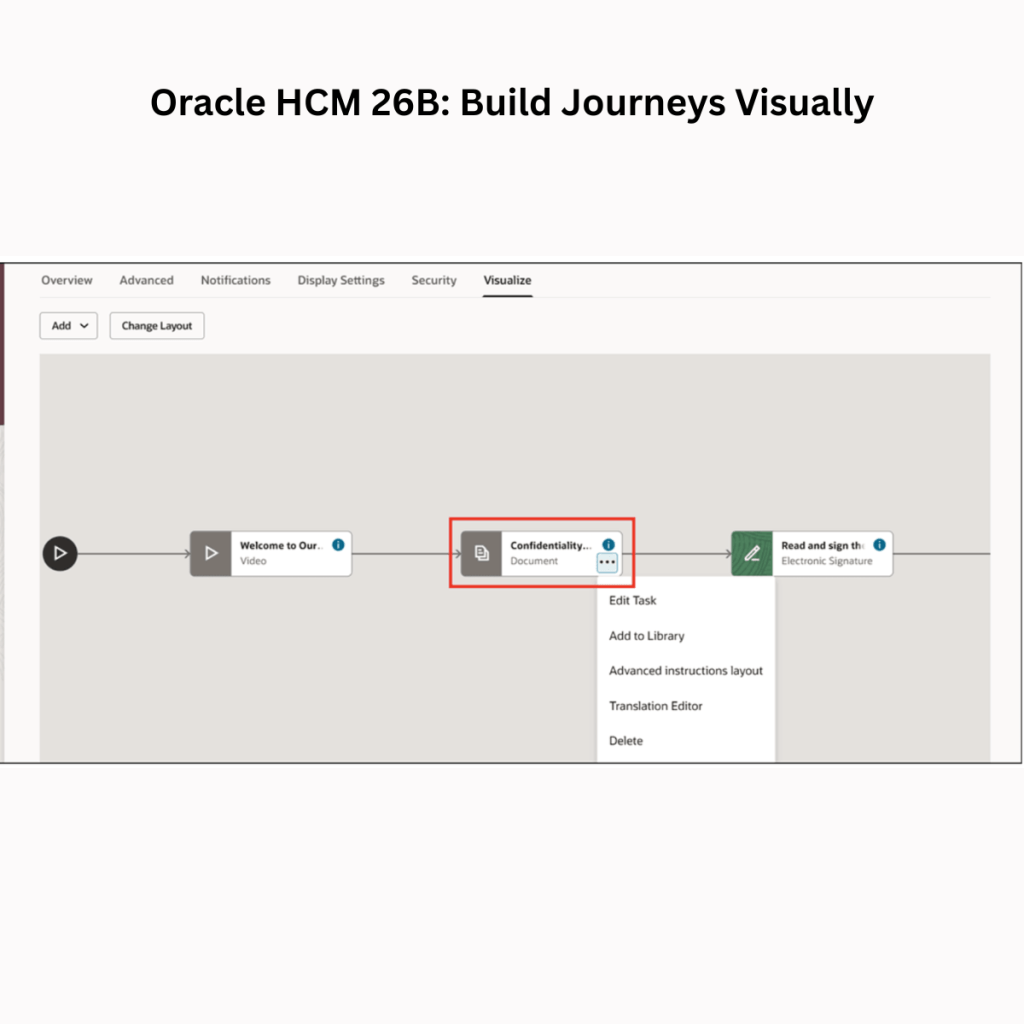
The new Diagrammer-Based Journey Templates bring a completely visual way to design and manage journeys.
🔹 Visualize Tab = Instant Clarity
A new interactive diagram shows the full journey flow – tasks, sequence, and dependencies. All in one place.
🔹 Build directly in the diagram
You can now:
➕ Add tasks or task groups
✏️ Edit or delete instantly
📌 Define sequence and see it reflected immediately
🔹 Understand tasks at a glance
✔️ Mandatory tasks → Green
✔️ Optional tasks → Grey
Aligned with how tasks appear during execution.
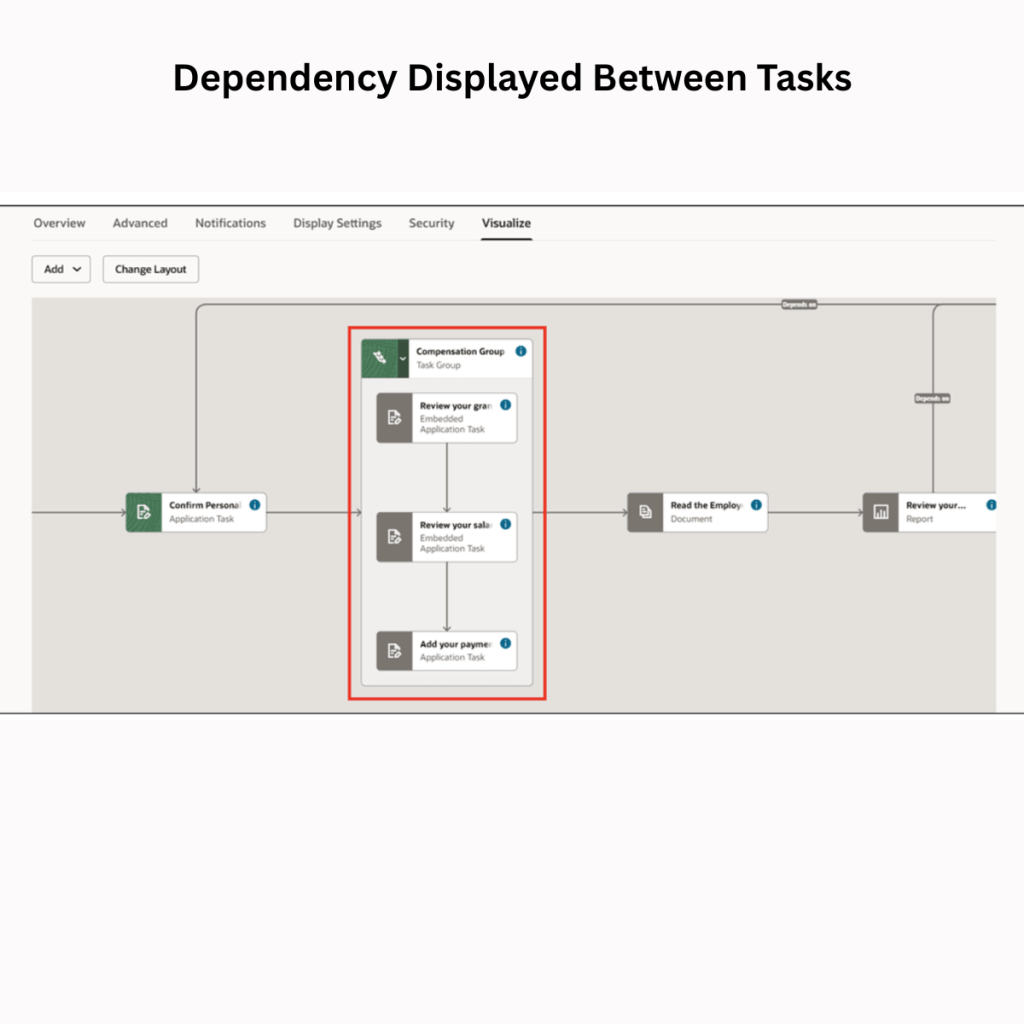
🔹 Dependencies made visible
No more guesswork. Task relationships are clearly mapped, making it easier to identify bottlenecks early.
🔹 Task insights in one click – View key details like:
👤 Performer
⏱️ Duration
📊 Context
🔹 Flexible layout
Switch between horizontal and vertical views based on how your team prefers to visualise flows.
🔹 Task group visibility
Expand task groups to understand structure, while maintaining control at the group level.
This is more than a UI enhancement. It shifts Journey design from:
❌ Configuration-heavy
✅ Experience-driven
Helping teams:
✔️ Collaborate better with business users
✔️ Design faster and with more confidence
✔️ Reduce confusion during UAT
✔️ Identify flow gaps early
This is a big step towards making Oracle Journeys more intuitive and business-friendly, especially for complex onboarding, internal mobility, and cross-functional processes.



 Lead with Mohana
Leave a comment