
𝗪𝗮𝗻𝘁 𝘁𝗼 𝗯𝗿𝗶𝗻𝗴 𝗔𝗜 𝗶𝗻𝘁𝗼 𝘆𝗼𝘂𝗿 𝗢𝗿𝗮𝗰𝗹𝗲 𝗖𝗹𝗼𝘂𝗱 𝗛𝗖𝗠 𝗲𝘅𝗽𝗲𝗿𝗶𝗲𝗻𝗰𝗲? Start using AI Agents in your Guided Journeys!
These agents are powered by RAG (Retrieval-Augmented Generation) – which means they can answer employee questions by pulling info from documents like company policies, government rules, and even real-time data from HCM.
𝗪𝗵𝗲𝗿𝗲 𝗰𝗮𝗻 𝘆𝗼𝘂 𝘂𝘀𝗲 𝘁𝗵𝗲𝗺? You can enable these AI agents in any Oracle HCM Screen where Guided Journeys are supported.
𝗦𝗼𝗺𝗲 𝗰𝗼𝗼𝗹 𝘂𝘀𝗲 𝗰𝗮𝘀𝗲𝘀:
✅ Help new hires get onboarded smoothly
✅ Guide employees on career growth, internal jobs, training
✅ Answer questions about payslips, benefits, and tax info
✅ Help managers with talent reviews, shift planning, and approvals
✅ Provide insights on org structure and employee details
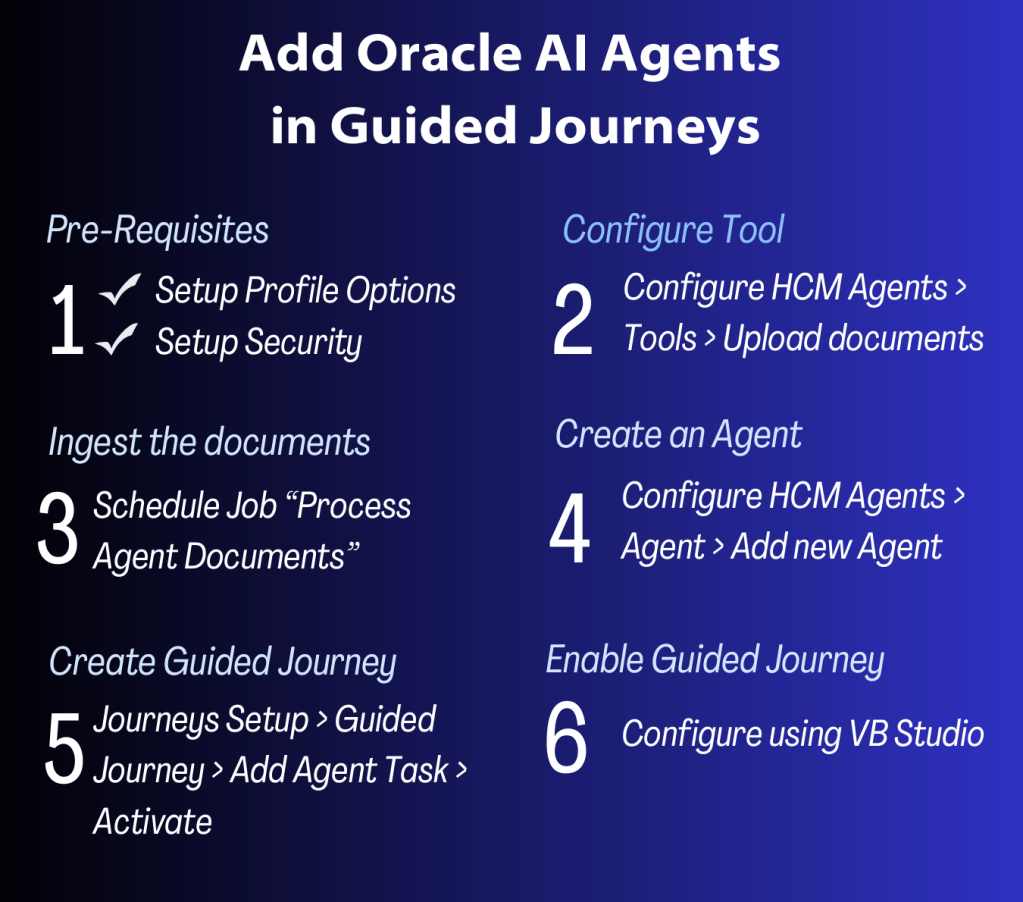
𝗛𝗼𝘄 𝘁𝗼 𝘀𝗲𝘁 𝗶𝘁 𝘂𝗽?
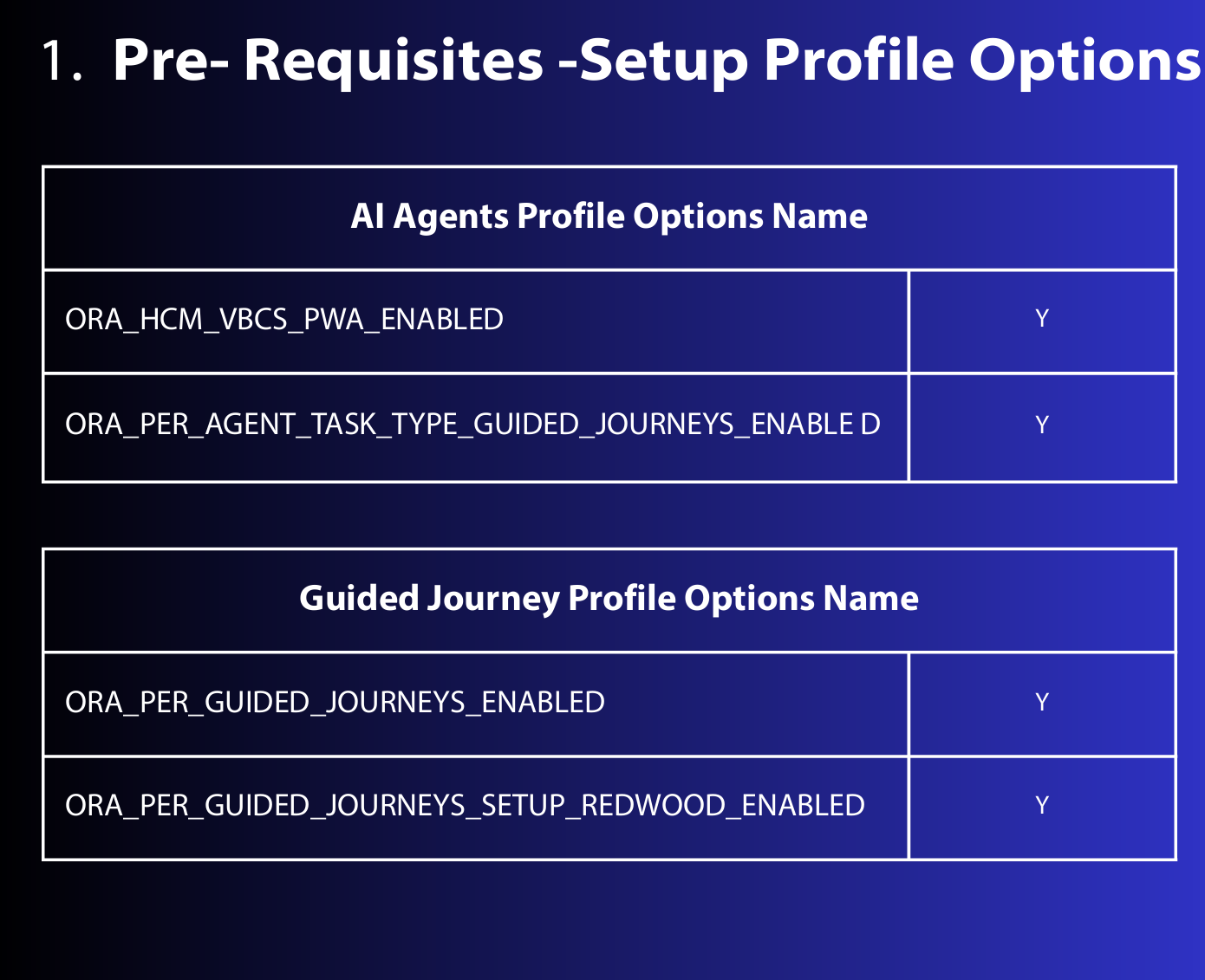
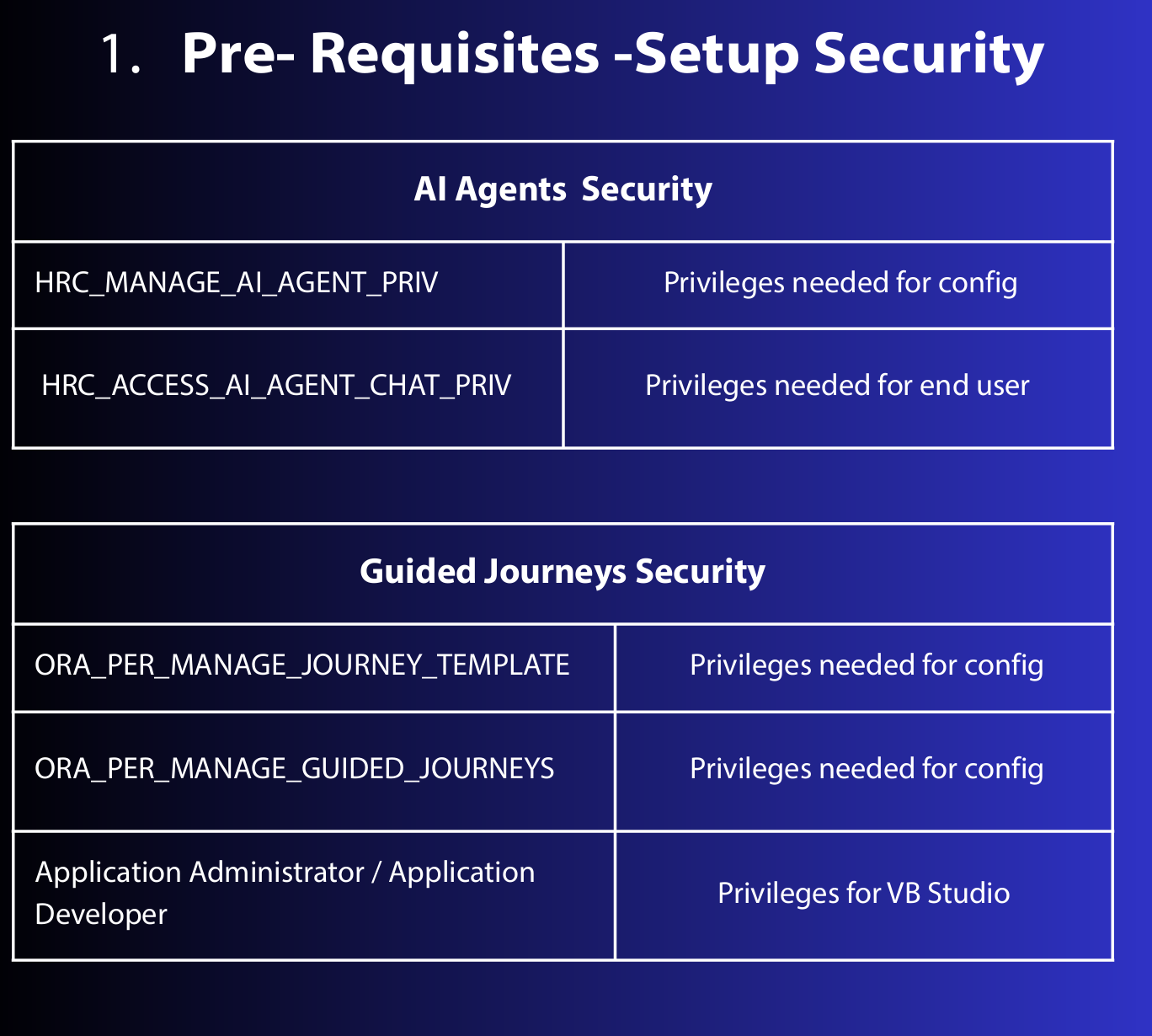
1. Pre-Requisites – Set up the right Profile Options & Security
2. Configure HCM Agent Tool – Upload your docs (like HR policies, FAQ PDFs)
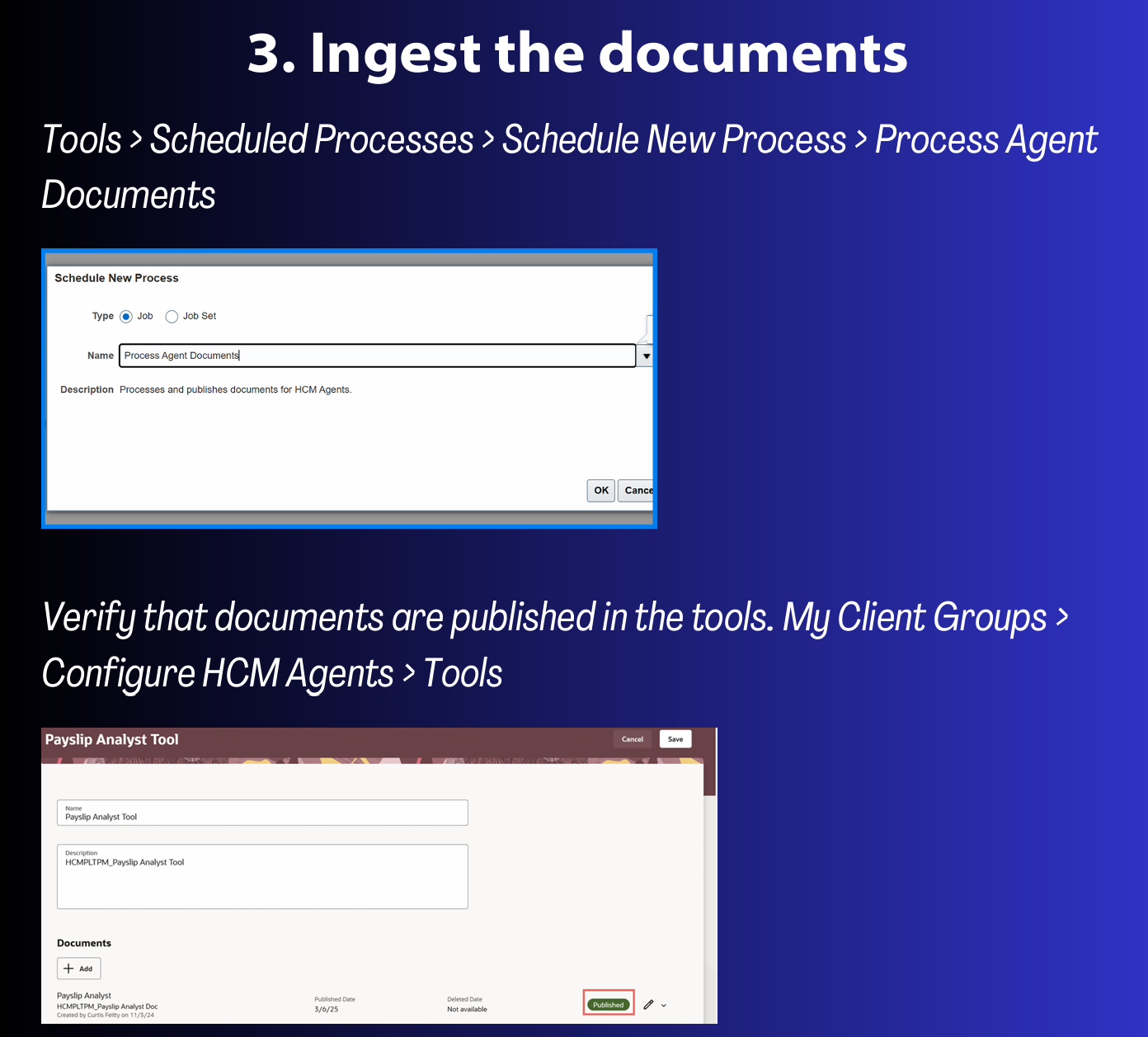
3. Run the Ingest Document Process
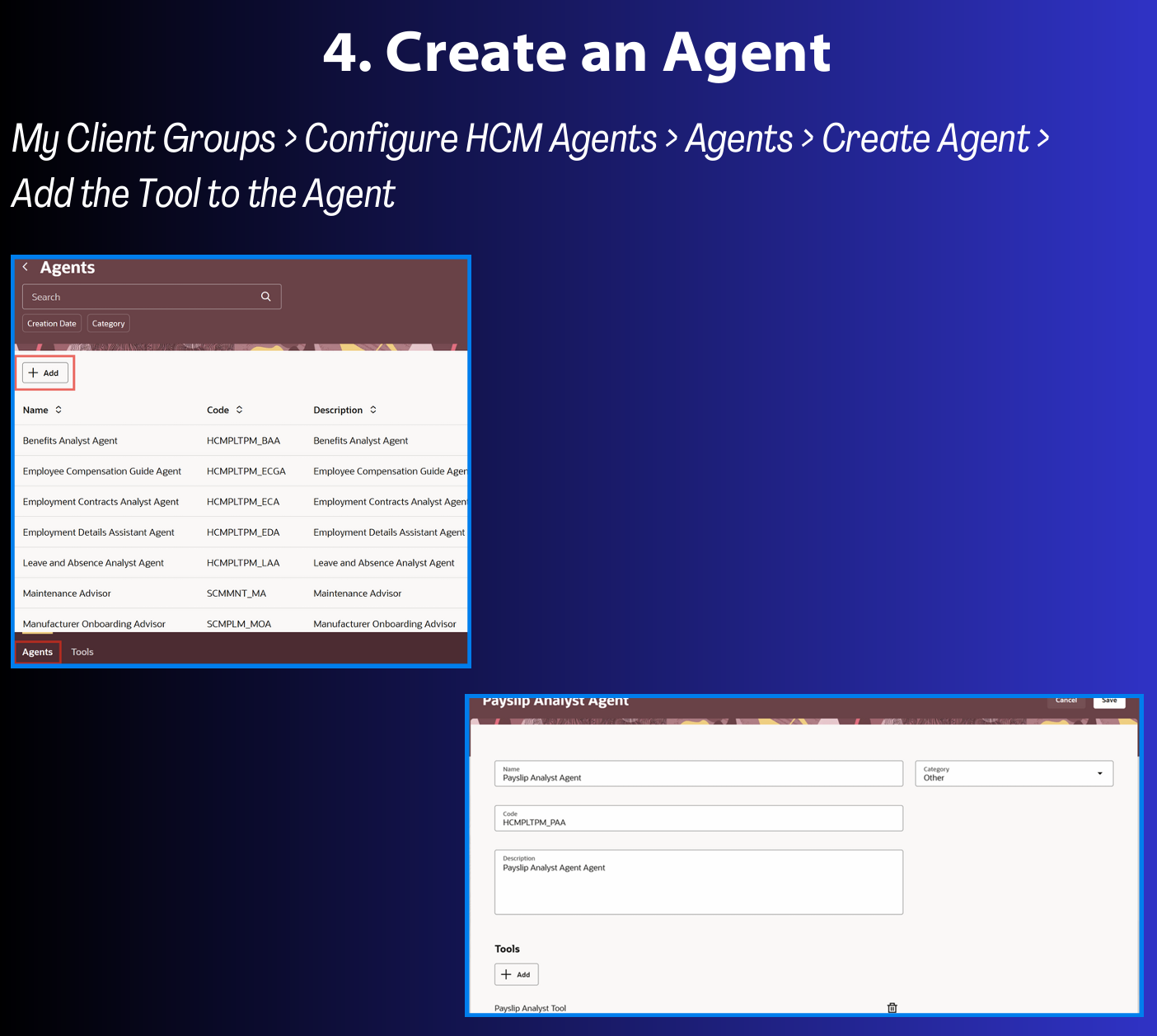
4. Configure HCM Agent (by adding the Agent tool)
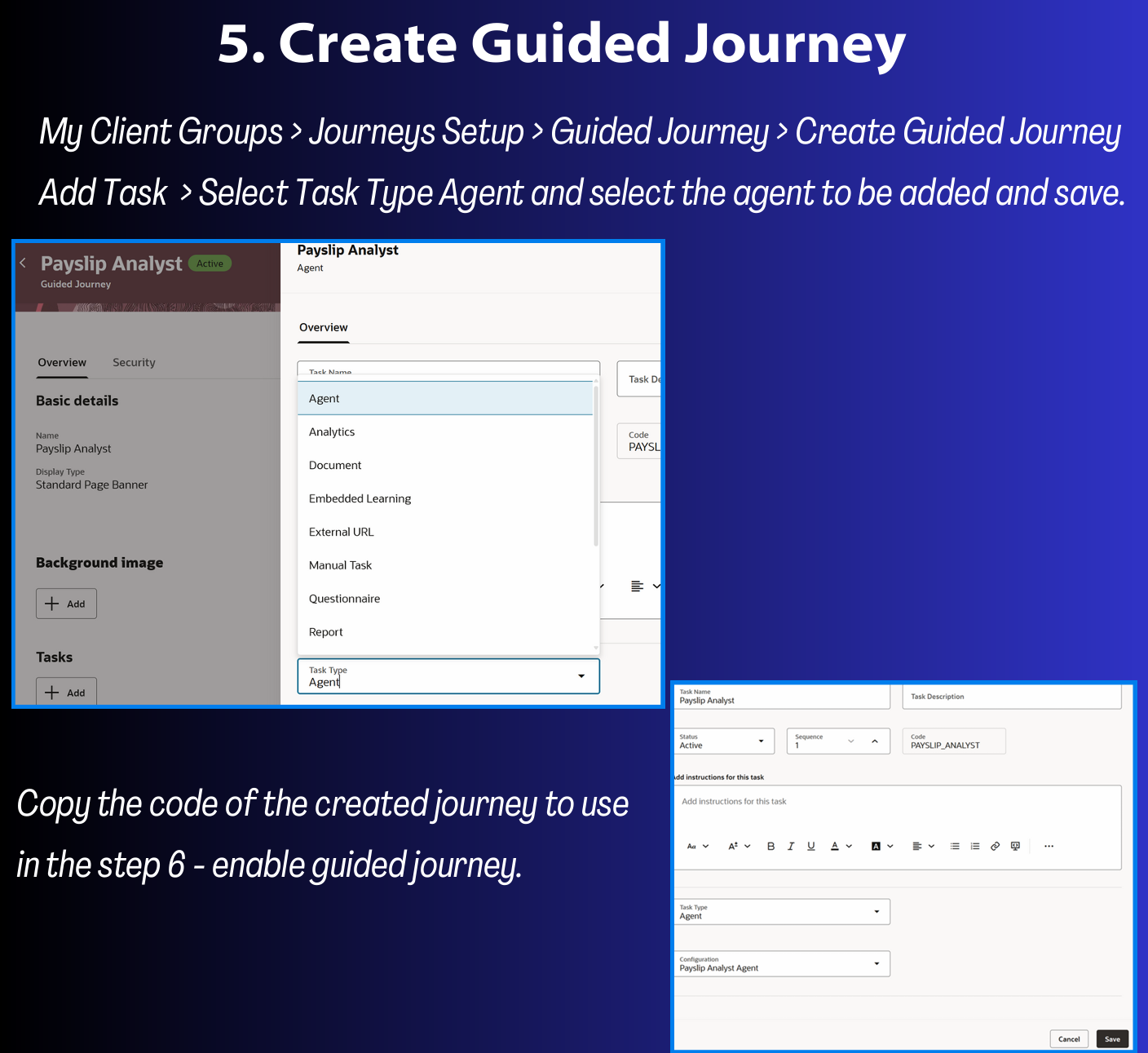
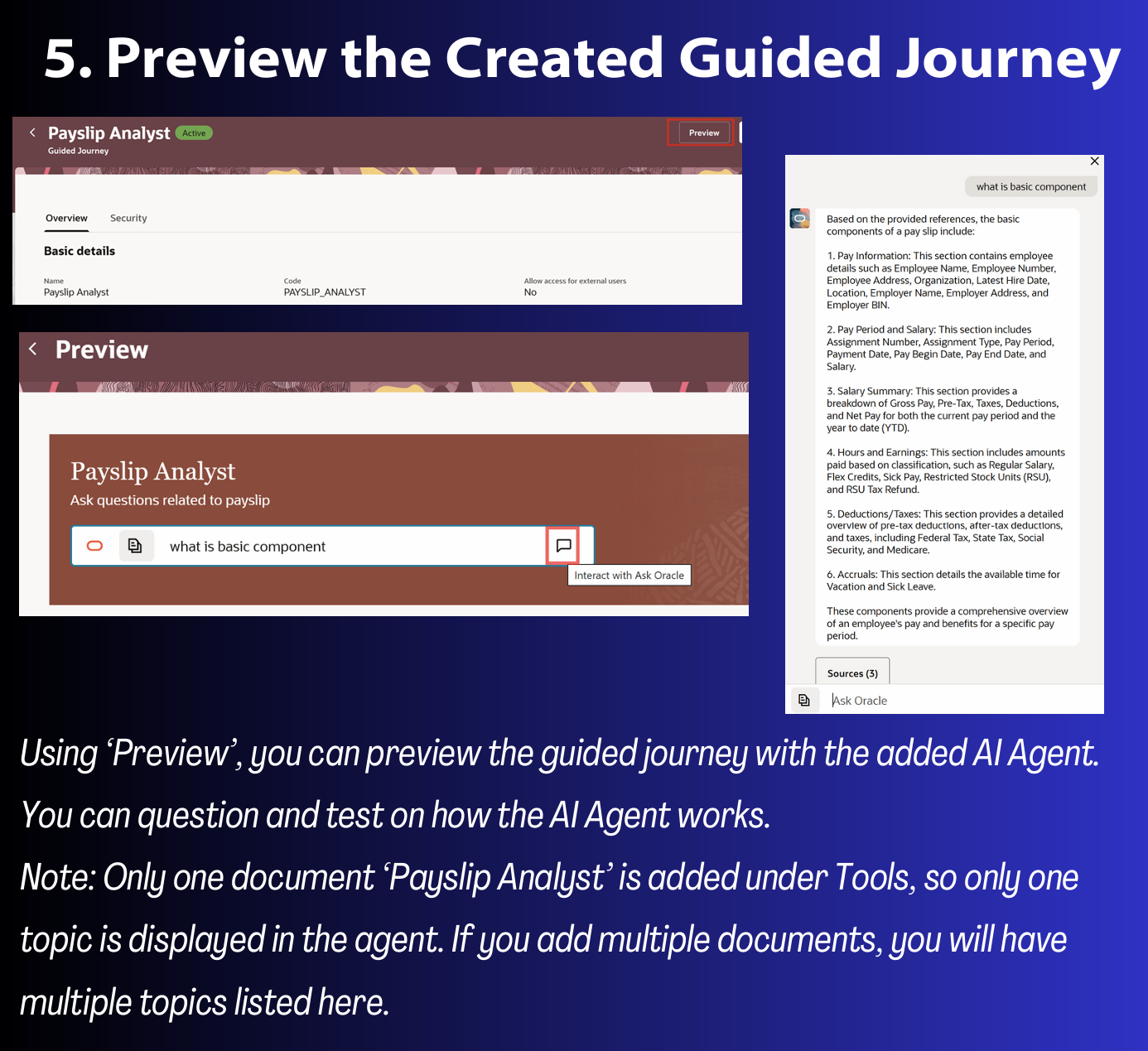
5. Create the Guided Journey (add the agent in the task)
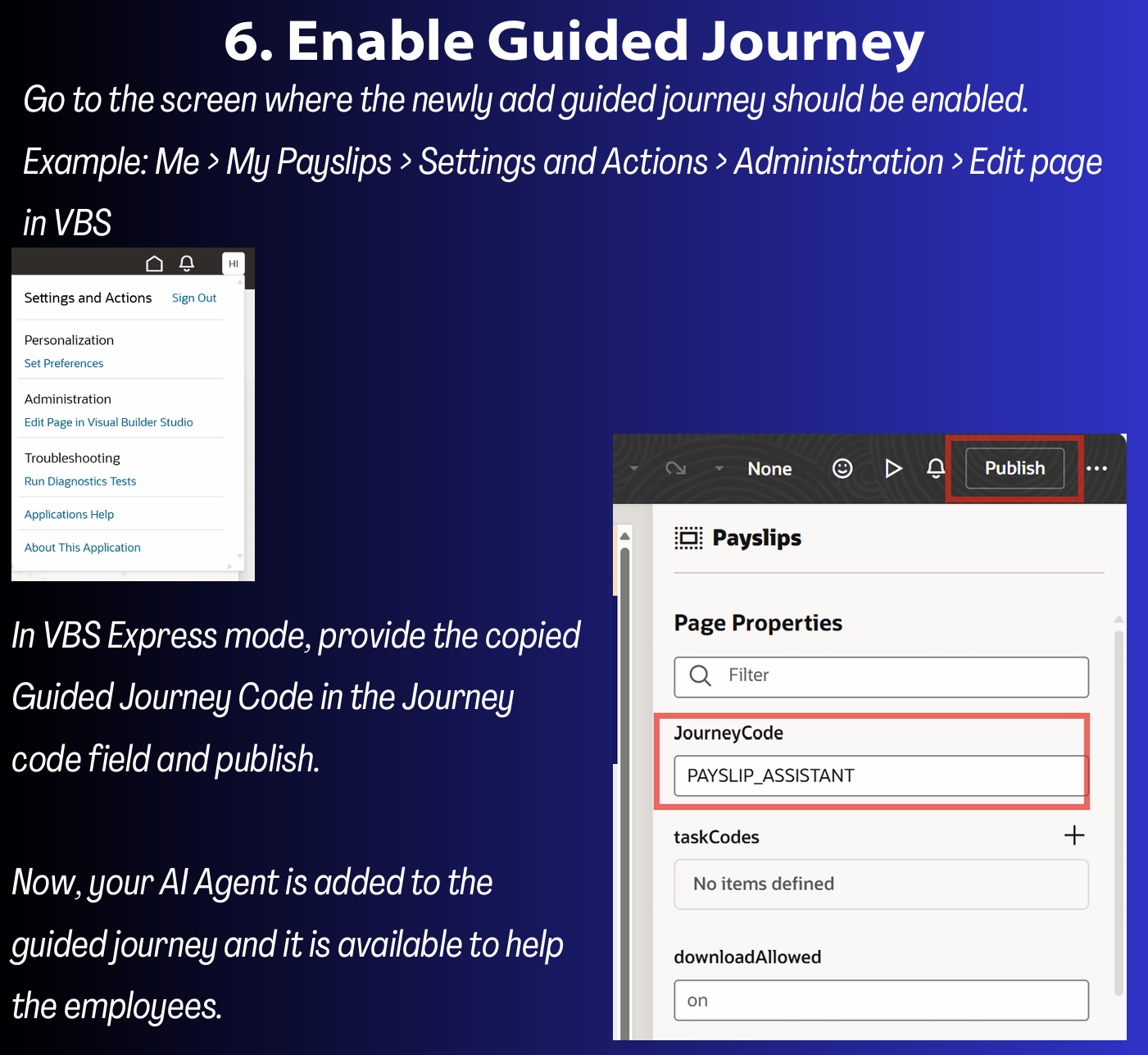
6. Enable the Guided Journey
I have put together a document with the step-by-step setup if anyone wants to explore this further.
Now, AI Agent is available in the screen where you need. This makes it easier for employees to get answers, right where they work – no more searching around!






Leave a Reply