

In my very old post, I shared how to add validation rules in Oracle HCM Cloud Redwood pages using Visual Builder – https://lnkd.in/ehb6utrq
Here’s a quick tip on where you want to place the message:
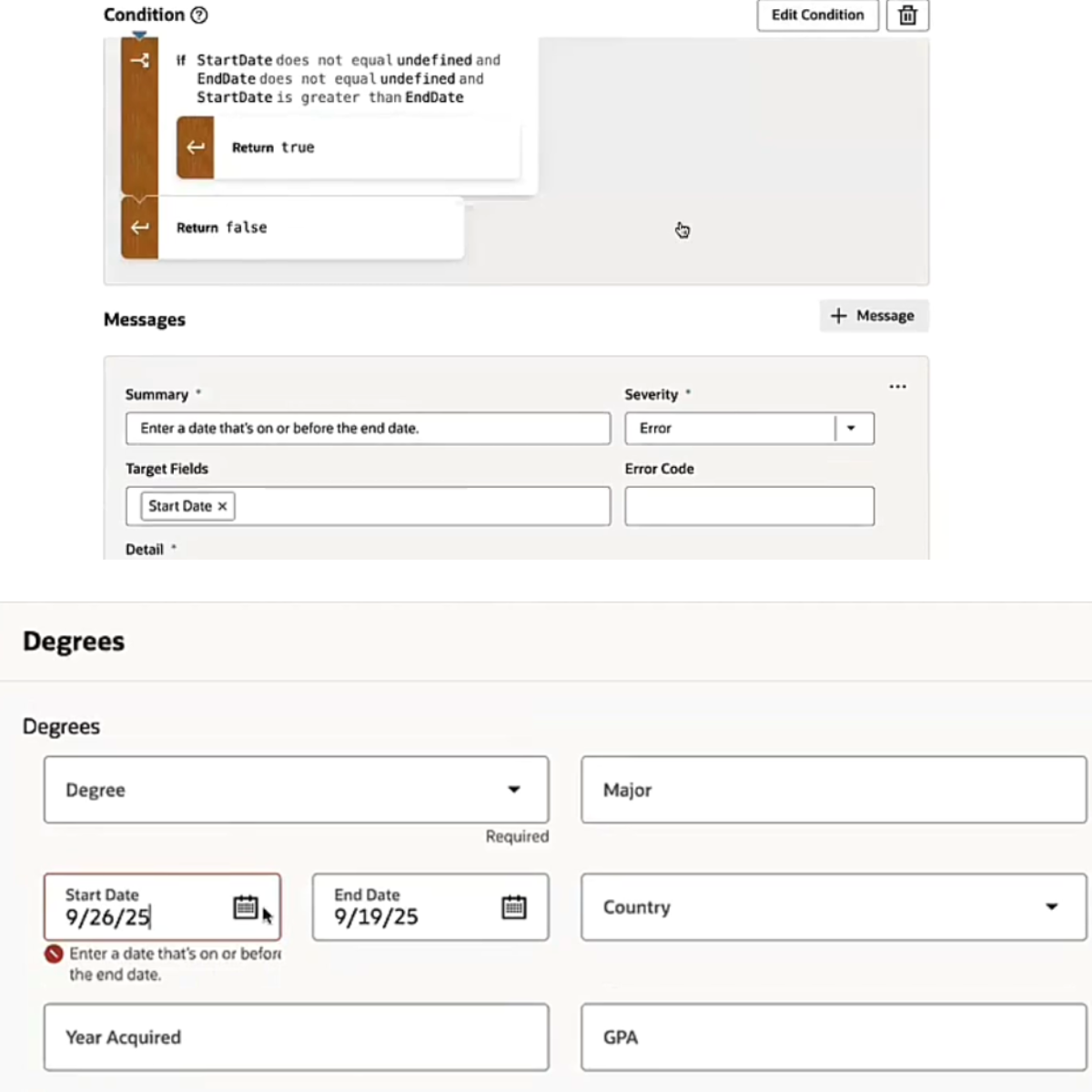
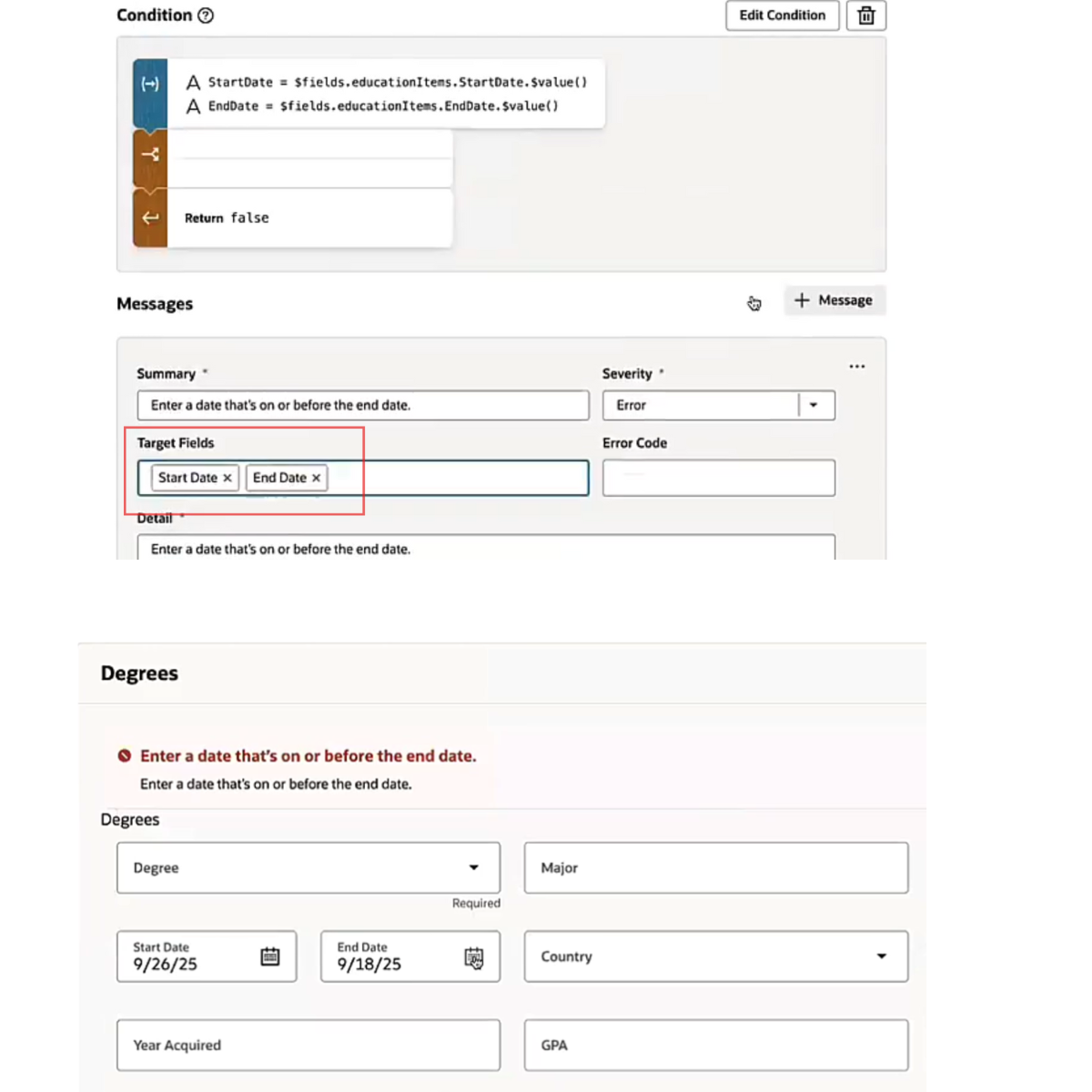
The placement of your validation messages depends on the Target Field setting.
Leave it blank → the message appears at the top of the page
Select one field → it appears next to that field
Select multiple fields → it appears at the section level
Set it up wisely so your validations guide users exactly where they need attention.








Leave a Reply